


QR codes for restaurants are everywhere — walk into almost any restaurant today and you’ll see them: small squares on tables, at the counter, or near the entrance. QR codes went from novelty to necessity. In fact, 75% of full-service restaurants now use them almost overnight, driven by the need for contactless service.
But most restaurants are barely scratching the surface of what QR codes can do. A QR code isn’t just a digital menu — it’s a tool for faster ordering, easier payments, more reviews, and better customer data. You can even use them to collect Google reviews and track campaigns with UTM parameters.
This guide covers everything restaurant owners and managers need to know about implementing QR codes effectively, from basic menu access to advanced ordering systems.
Why Restaurants Use QR Codes
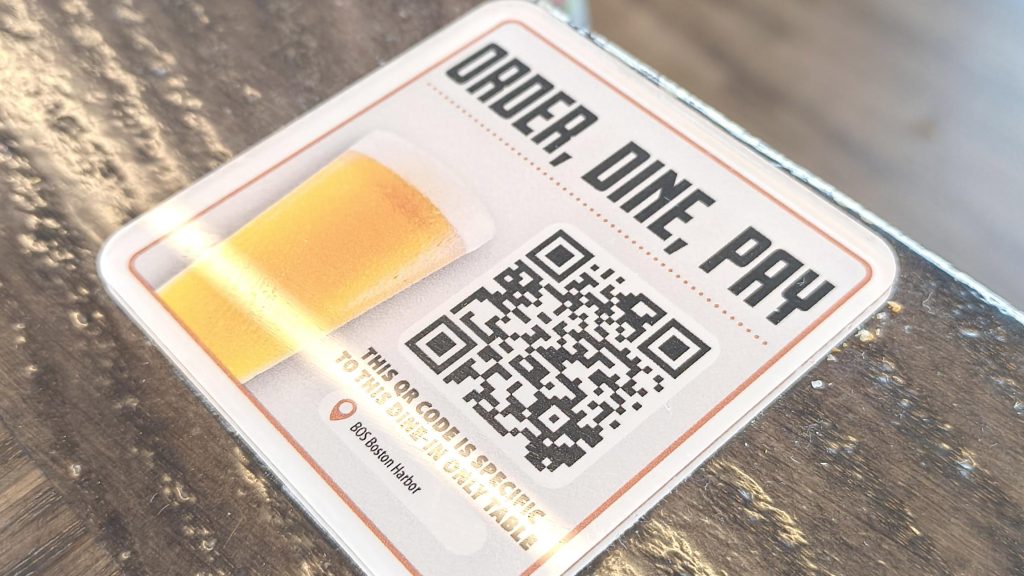
The shift to QR codes wasn’t just about hygiene. Restaurants discovered real operational benefits that stuck around long after the initial wave.
Speed and efficiency. When customers scan a code and browse the menu on their own device, servers spend less time explaining specials and more time delivering food. In fast-casual environments, this can noticeably increase table turnover.
Cost savings. Printing menus is expensive — especially when prices change, items rotate seasonally, or supply chain issues force substitutions. A QR code pointing to a digital menu can be updated instantly at no cost.
Data collection. Paper menus don’t tell you anything about customer behavior. Digital menus can show which items get the most views, how long people spend deciding, and which descriptions lead to orders. This data informs pricing, placement, and promotions.
Higher average tickets. Well-designed digital menus with photos, upsells, and suggested pairings consistently outperform paper menus. Customers order more when they can see what they’re getting.
The restaurants seeing the best results treat QR codes as part of their service design, not just a replacement for laminated paper.
How Restaurants Use QR Codes
QR codes can enhance nearly every customer touchpoint. The key is matching the right use case to your restaurant’s style and operations.
Digital Menus
The most common use — and often the most poorly executed.
A good QR-to-menu experience:
- Loads in under 3 seconds on cellular connections
- Displays properly on mobile without pinching or zooming
- Organizes items clearly with descriptions and prices
- Includes photos for signature dishes
- Updates in real-time when items sell out
A bad experience — which drives customers to ask for a paper menu anyway — includes slow-loading PDFs, desktop-formatted websites, or menus that require downloading an app.
Pro tip: Link your QR code to a mobile-optimized menu page, not a PDF. PDFs are hard to read on phones and can’t be updated without replacing the file. A simple web page with your menu loads faster and stays current.
Tableside Ordering
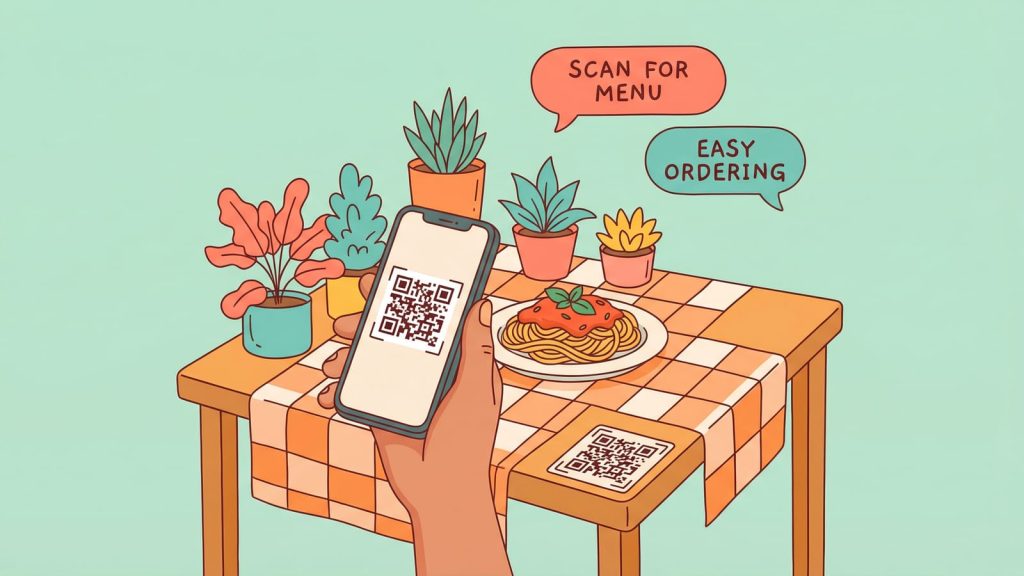
Some restaurants take QR codes beyond browsing into actual ordering. Customers scan, select items, and submit their order directly to the kitchen.
Best for:
- Fast casual and counter service
- High-volume environments
- Restaurants with frequent menu changes
- Short-staffed operations
Not ideal for:
- Fine dining (where personal service is the product)
- Complex menus requiring explanation
- Older demographics unfamiliar with mobile ordering
When implementing tableside ordering, consider a hybrid approach — let customers browse the QR menu but still take orders verbally. This keeps the personal touch while reducing time spent explaining options.
Mobile Payments
Link a QR code directly to the check, and customers can pay from their phone without waiting for the server to run a card.
Options:
- Pay-at-table codes printed on receipts
- Table-specific codes that pull up the current tab
- Integration with Apple Pay, Google Pay, and Venmo QR codes for tips or counter payments
Faster payments mean faster table turns. Some restaurants report reducing payment time by 5-10 minutes per table — significant during busy service.
Reservations and Waitlist
A QR code at the entrance can link to:
- Your reservation system (OpenTable, Resy, direct booking)
- A digital waitlist where customers enter their phone number
- A callback system that texts when the table is ready
This reduces crowding at the host stand and lets waiting customers browse nearby instead of standing in a lobby.
Reviews and Feedback
Getting reviews is a challenge for every restaurant. A QR code linking directly to your Google review page removes the friction.
Place review QR codes:
- On the check presenter
- On table tents near the exit
- On the back of business cards
Timing matters. Ask for reviews when customers are happiest — after a great meal, not when they first sit down.
Consider a feedback-first approach: Link to a quick internal survey first (“How was everything?”). Happy customers get prompted to leave a Google review. Unhappy customers get a form to share concerns privately, giving you a chance to address issues before they go public.
Loyalty Programs and Email Capture
Paper punch cards get lost. A QR code linking to a digital loyalty program lives in the customer’s phone.
Simple implementation:
- Scan to join (captures email or phone number)
- Scan after each visit to earn points
- Automatic rewards via text or email
Even without a formal loyalty program, a QR code linking to an email signup (“Get 10% off your next visit”) builds your list for future marketing.
Nutritional and Allergen Information
For restaurants with complex menus or customers with dietary restrictions, QR codes can link to detailed nutritional information, ingredient lists, and allergen warnings without cluttering the main menu.
This is especially valuable for:
- Chains with standardized recipes
- Health-focused concepts
- Menus with extensive customization options
Where to Place QR Codes in Your Restaurant
Placement matters as much as what the code links to.
On tables
The most common placement. Works well when customers will have time to browse — full-service restaurants, cafes, bars.
Options:
- Printed on table tents
- Embedded in table surfaces (laminated or under acrylic)
- On coasters or placemats
- Attached to menu stands
At the counter
For fast casual or counter service, place codes where customers naturally wait — at the ordering counter, on the sneeze guard, or near the register.
At the entrance
Works for reservations, waitlists, and “view our menu” use cases. Especially useful when customers need information before being seated.
On takeout packaging
Include a QR code on bags, boxes, or receipts linking to:
- Reorder the same items
- Leave a review
- Join your loyalty program
- View nutritional information
On outdoor signage
For restaurants with street presence, a QR code visible from the sidewalk lets potential customers preview the menu before entering.

Ready to create your own QR codes?
Start for free — no credit card required.
Create Your Free Account NowBest Practices for Restaurant QR Codes
Getting the basics right makes the difference between a QR code customers use and one they ignore.
Test on multiple devices. Scan your code on at least three different phones before printing. iPhones and Androids render pages differently. Older phones may struggle with complex pages. Test on WiFi and cellular to ensure it loads quickly everywhere.
Use a mobile-first design. If your menu page wasn’t designed for phones first, it’s probably a frustrating experience. Buttons should be thumb-friendly. Text should be readable without zooming. Images should be optimized for fast loading.
Make codes scannable. Minimum size depends on distance. For tabletop codes (arm’s length), 1 inch is usually enough. For counter displays (2-3 feet), go 1.5-2 inches. For wall or window placement (further away), 3-4 inches minimum. Always test from the expected scanning distance.
Include a call-to-action. A QR code alone doesn’t tell customers what they’ll get. Add text: “Scan for menu,” “Scan to pay,” “Scan to join rewards.” This small addition significantly increases scan rates.
Use dynamic QR codes. A static code permanently encodes one URL. If you need to change the destination — new menu page, seasonal promotion, different landing page — you’d have to reprint everything. Dynamic codes redirect through a short URL you control, so you can update the destination without changing the printed code. QR Chameleon offers dynamic codes with built-in tracking.
Track your scans. If you don’t know how often codes get scanned, you can’t improve. Use a QR code platform with analytics to see scan volume, time of day, device types, and which placements perform best.
Common Mistakes to Avoid
Even well-intentioned QR code implementations can fail when these issues aren’t addressed.
Linking to a PDF menu. PDFs load slowly, display poorly on mobile, and can’t be updated without replacing the file. Use a mobile-optimized web page instead.
Requiring an app download. If scanning your QR code prompts customers to download an app before they can see the menu, most won’t bother. The menu should load instantly in the browser. Apps are fine for loyalty programs, but not for basic menu access.
Poor WiFi in the restaurant. Customers scanning QR codes need an internet connection. If your restaurant has weak WiFi and poor cellular reception, even a well-designed system will fail. Test from every table. For a guest-network code that customers can scan from the table, use our free WiFi QR Code Generator — it builds a print-ready QR in under a minute (full guide: creating WiFi QR codes).
Codes that are too small or damaged. A 0.5-inch code on a receipt might not scan. A code that’s been scratched, faded, or covered in food residue won’t either. Size appropriately and replace printed materials regularly.
No fallback option. Some customers don’t want to use QR codes — older patrons, foreign visitors with roaming concerns, or people with dead phone batteries. Always have a few physical menus available on request.
Forgetting to update the destination. A QR code linking to last season’s menu or a discontinued promotion damages trust. If you use static codes, audit them regularly. If you use dynamic codes, keep the destinations current.
Too many codes creating confusion. A table with six different QR codes — menu, order, pay, review, loyalty, WiFi — overwhelms customers. Consolidate where possible. One well-designed landing page can offer multiple options.
Choosing the Right QR Code Solution
For simple menu access, any QR code generator works. But restaurants with ongoing needs benefit from a platform that offers:
Dynamic codes. Change destinations without reprinting.
Analytics. See which locations and times drive the most scans.
Custom branding. Add your logo and brand colors to make codes recognizable.
Short links. For customers who prefer to type a URL, a short branded link like “menu.yourrestaurant.com” is easier than a 50-character mess.
Bulk management. Multi-location restaurants need to manage codes for each location from one dashboard.
QR Chameleon offers all of these features, making it easy to create, manage, and track QR codes across your restaurant operation.
Resaurant QR Code Guide FAQs
Do customers actually use QR code menus?
Yes — adoption has increased dramatically since 2020 and remained high even as restrictions lifted. Studies show over 50% of diners prefer QR menus for casual dining. However, fine dining customers often prefer physical menus as part of the experience.
Should I get rid of physical menus entirely?
No. Always keep a few physical menus available for customers who prefer them or can’t use QR codes. The goal is to offer options, not force adoption.
What’s the best format for a digital menu?
A mobile-optimized web page — not a PDF. The page should load quickly, display clearly on all phone sizes, and be easy to navigate with one thumb. Include photos for popular items and clear pricing.
How do I get more customers to leave reviews?
Make it frictionless. A QR code on the check presenter linking directly to your Google review page works well. Time the ask for when customers are happiest — after the meal, not before. Consider offering a small incentive (10% off next visit) for leaving feedback.
Can QR codes help with staffing shortages?
Yes. Self-service ordering, mobile payment, and digital waitlists reduce the workload on servers and hosts. Customers can browse the menu, order, and pay at their own pace, requiring less active service time per table.
How often should I update my QR code materials?
Inspect printed codes regularly for wear and damage. Update the linked content whenever your menu, prices, or promotions change. The advantage of dynamic QR codes is that you can update the destination instantly without reprinting.
Start Using QR Codes in Your Restaurant
QR codes aren’t a pandemic-era workaround anymore — they’re standard infrastructure for modern restaurants. Implemented well, they speed up service, cut costs, and give you data to optimize your menu.
Start simple: a mobile-optimized menu linked to a dynamic QR code on each table. From there, expand into ordering, payments, and reviews as your operation allows.
Ready to create QR codes for your restaurant?