


You’re on Instagram, TikTok, or maybe both — and every platform gives you exactly one link in your bio. One. For your shop, your latest video, your email list, your podcast, your portfolio, and everything else you want people to see. Something has to give.
That’s the entire reason link-in-bio tools exist. Paste one short URL into your profile, and it opens a mini landing page with every link that matters. Simple in theory. But the tools differ wildly — some give you a bare list, some give you a full analytics dashboard, some lock the useful stuff behind a paywall, and a few are actually good out of the gate.
Why Linktree Isn’t Always the Answer
Linktree is the default, and for good reason: it’s free, easy, and recognizable. But for most people, it’s not the best. The link gets clicked but you don’t know by whom. Every page looks the same as everyone else’s. And the features you actually want — click tracking, custom domains, analytics — cost more than they should.
Here are the eight best link in bio tools in 2026, ranked by the things that actually matter: analytics, customization, pricing, and what each one does that Linktree doesn’t.
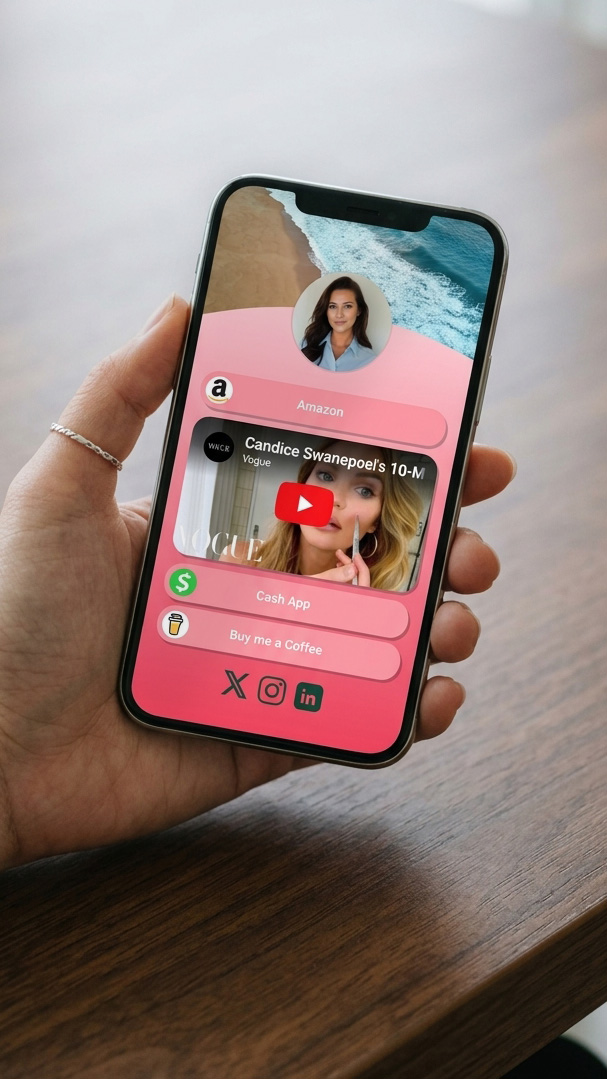
What to Look for in a Link in Bio Tool
Before the list, the short checklist. A good link-in-bio tool should cover at least most of these:
- Click tracking on every link — not just total views, but which link got tapped, when, and from where
- Customization without paying — color, layout, fonts, button styles
- Multiple block types — links, social icons, embedded video, contact info, images, forms
- Mobile-optimized by default — most of your traffic is phones
- Analytics that tell you something useful — geography, device, referrer, which links convert
- Fair pricing — a free tier that’s actually usable, not a demo
The tools below each do some of these well. However, none are perfect at all of them. That’s why picking the right one depends on what you need most.
1. QR Chameleon Pages — Best for Tracking and QR Code Integration
Starts free. Blend $8/mo.
QR Chameleon Pages gives you a link-in-bio page plus everything QR Chameleon already does: short links, QR codes, analytics. One dashboard, one set of data, links and scans reported side by side. If you’re running campaigns across print, email, and social — or already using a short link for anything — this is the one that ties the whole picture together.
What you get: 11 block types (links, social icons, YouTube embed, contact card, carousel, image, grid, divider, document upload on paid), 5 templates, full color and layout customization, auto-generated QR code for every page, and page analytics showing views, clicks, unique visitors, geography, device breakdown, and referrer platform for free! Free plan includes 2 pages with QR Chameleon branding; Paid unlocks 5 pages and branding removal.
Who it’s for: Anyone who wants their link-in-bio tracked the same way they track everything else, and who values unified analytics over pure simplicity.
The tradeoff: Not the absolute simplest option if all you want is a five-link list. However, the amount of free analyitics and customization options sets this as the clear free winner.
2. Linktree — Best for Recognition and Simplicity
Free. Pro $5/mo, Pro+ $9/mo.
Linktree is the category leader and the reason “link in bio” entered the mainstream. It’s free to start, lives on a domain everyone recognizes (`linktr.ee/username`), and takes about 90 seconds to set up a basic page.
What you get: unlimited links on the free plan, basic themes, a Linktree-branded page, and minimal analytics (total clicks and views, no detail). The paid tiers add click analytics, link scheduling, integrations with email tools, and the ability to hide the Linktree logo. Most serious features — full analytics, custom domain, SEO metadata — require the Pro+ plan.
Who it’s for: People who want the cheapest, fastest path to a working link page and don’t mind the generic Linktree-branded feel.
The tradeoff: Analytics on the free tier are close to useless. You’ll know people clicked your page — not which link they tapped, not where they came from. Upgrade required for data that’s table-stakes on most of the other tools in this list.
3. Beacons — Best for Creators Selling Digital Products
Free. Creator Pro $10/mo.
Beacons is built for creators who want to sell something — courses, ebooks, consulting, one-on-one sessions, merch. It’s a link-in-bio tool with a built-in storefront, email capture, and a bunch of creator-specific blocks (tip jar, “book a call,” shoutouts, exclusive content gates).
What you get: unlimited pages, customizable themes, built-in commerce (accept payments directly on the page), email list management, and creator-focused analytics. The free tier is generous but skims 9% off sales; paid tiers drop that to 0%.
Who it’s for: Creators earning from their audience. Coaches, course sellers, independent musicians, writers with paid newsletters.
The tradeoff: However, it’s overkill if you’re not selling. In contrast, if your link-in-bio is just to route traffic to existing platforms, Beacons’ selling features add clutter you don’t need.
4. Stan Store — Best for Coaches and Course Creators
$29/mo, 7-day free trial.
Stan Store is like Beacons but narrower and more opinionated. It’s specifically built for solopreneurs selling digital products and services — and it shows in the templates, checkout flow, and built-in upsell logic.
What you get: a link-in-bio page and a complete selling system — checkout, payment processing, order fulfillment for digital goods, email capture, and affiliate program management. Templates are tuned for coaches and creators; the flow pushes visitors toward purchasing.
Who it’s for: Solo coaches, course creators, and consultants who want the page and the selling engine in one tool and are willing to pay for that convenience.
The tradeoff: No free tier. At $29/month, it’s the most expensive on this list — only worth it if you’re actively selling.
5. Milkshake — Best for Mobile-First Creators
Free. Pro $3/mo.
Milkshake takes a different approach: it’s a mobile app, not a web builder. You design your page entirely on your phone, and the finished page looks like a mini website — swipeable cards, custom fonts, image-heavy layouts, more magazine than list.
What you get: beautiful magazine-style templates, card-based navigation, easy mobile editing, custom domain support (paid), and analytics. The free plan is fully functional; Pro adds custom domain, premium cards, and removes Milkshake branding.
Who it’s for: Content creators and small brands who want their link-in-bio page to feel like a designed brand experience, not a utility list. Fashion, lifestyle, food, and travel creators land here often.
The tradeoff: Mobile-only editing feels limiting if you’re used to a desktop dashboard. Meanwhile, the analytics are basic compared to QR Chameleon Pages or Linktree Pro+.
6. lnk.bio — Best for Minimalists
Free. Pro €1/mo, Plus €8/mo.
lnk.bio is the anti-Linktree: stripped down, no pushy upsells, built for people who want a clean link list and nothing else. It also has one of the most generous free plans on this list.
What you get: unlimited links, dark or light mode, basic analytics on the free tier, and the option to bring your own custom domain on Pro. The design is intentionally minimal — you add links, they show up, done.
Who it’s for: Writers, developers, people with a “bio link is fine but not a vibe” attitude. Anyone who feels Linktree’s branding and marketing noise are more than they want.
The tradeoff: You won’t find the fancy blocks (no embedded video, no contact cards, no storefront). If you want your link page to do more than list, look elsewhere.
7. Bento — Best for Modern Design and Professional Portfolios
Free. Pro $10/mo.
Bento is newer and design-forward. Its pages look like mini portfolio sites — grid-based layouts, image cards, embedded content previews. Where Linktree gives you a list of buttons, Bento gives you something closer to a personal landing page.
What you get: grid-based customizable templates, embedded content from Spotify / YouTube / Twitter, social proof integrations (GitHub, dribbble, etc.), unlimited pages, and page analytics. Pro adds custom domains, priority support, and more advanced embeds.
Who it’s for: Designers, developers, freelancers, and anyone who wants their link-in-bio to double as a portfolio landing page.
The tradeoff: More design decisions to make. That said, the grid layout is more work than a stacked list — great for people who care, tedious for people who don’t.
8. Koji — Best for Interactive Content
Free. Premium $9/mo.
Koji lets creators add interactive widgets to their link-in-bio page — tip jars, polls, games, fan questions, scheduling widgets. It’s less “landing page” and more “mini app store for your bio.”
What you get: a base link-in-bio page plus a library of hundreds of templates and interactive widgets. In addition, creators can build custom widgets too. Premium adds analytics, monetization tools, and premium widgets.
Who it’s for: Creators with an engaged audience who want to do more than list links — collect tips, run polls, sell merch, schedule calls — all from one page.
The tradeoff: Can feel overwhelming. The widget library is a rabbit hole. Also, interactive elements don’t always load fast on mobile, which can hurt the experience for users on slow connections.
How to Pick the Right One
Here’s a decision framework based on what matters most to you:
- You just want a link list — Linktree or lnk.bio
- You want unified analytics with QR codes and short links — QR Chameleon Pages
- You’re selling digital products or courses — Stan Store or Beacons
- You want a beautiful, designed page — Milkshake or Bento
- You want interactive widgets and monetization — Koji or Beacons
- You want a free tier that’s actually usable — QR Chameleon Pages, lnk.bio, or Beacons
Try the QR Chameleon Pages Link-in-Bio Free
Build a branded page with per-link analytics, an auto-generated QR code, and full customization. No credit card required.
Create Your Free QR Chameleon Pages AccountIf you’re already using anything else in the QR Chameleon ecosystem — a QR code on your business card, a QR code for a video, tracked short links for a campaign — adding a Pages link-in-bio gives you one reporting view for every piece of traffic. That’s the real value of picking something unified over something standalone.
Link in Bio Tool FAQs
What is the best link in bio tool?
The best tool depends on what you need. If you want unified analytics across links, QR codes, and short links, QR Chameleon Pages is the best fit. Linktree works for the simplest possible setup with wide recognition. For creators selling digital products, Beacons or Stan Store are purpose-built. There’s no single winner – the right answer is the one that matches your actual use case.
What is a good alternative to Linktree?
Plenty of good alternatives depending on what you value. QR Chameleon Pages gives you deeper analytics and QR code integration. Bento offers modern grid-based design. lnk.bio is minimalist and nearly free. Beacons and Stan Store add selling features. Milkshake focuses on beautiful mobile-first design. Linktree is fine for basic use but easy to outgrow.
Do I need a link in bio tool?
If you have one social profile with one link destination, no. If you’re active on multiple platforms, run campaigns, sell products, or want to track what your audience actually clicks, yes. A link-in-bio tool turns your single bio link into a trackable hub that adapts to what you want to promote at any given time.
What does link in bio mean?
Link in bio refers to the single link slot most social platforms give you in your profile description. Since you can only put one URL there, creators and businesses use link-in-bio tools to turn that single slot into a landing page with many links, making it possible to point followers to multiple destinations from one profile.
Can I track clicks on my link in bio?
Yes, but the depth varies by tool. Linktree’s free tier shows only page-level views. QR Chameleon Pages, Beacons, Bento, and Milkshake show per-link clicks and visitor data (geography, device, referrer) on their free or low-cost tiers. If click tracking matters, pick a tool that includes it without requiring an upgrade.
What is the best free link in bio tool?
For raw generosity, QR Chameleon Pages and lnk.bio both offer fully functional free plans with real analytics. Linktree’s free tier is usable but limited – you’ll want to upgrade quickly for anything serious. Beacons’ free plan is generous but takes a 9% cut on sales if you use the selling features.
Can I use my own domain with a link in bio tool?
Most tools support custom domains on their paid plans. QR Chameleon Pages includes custom domains on Adapt and Transform plans. Linktree requires Pro+. Milkshake and lnk.bio support it on Pro. Custom domains make your link-in-bio page feel like part of your brand instead of a third-party service.
Do link in bio tools work on Instagram, TikTok, and YouTube?
Yes. Every link-in-bio tool in this list produces a short URL you paste into your social profile’s bio field. The tool itself doesn’t care which platform you use; the landing page works the same from any referrer. Some tools like Milkshake and Beacons optimize specifically for mobile since most bio link traffic comes from phones.