

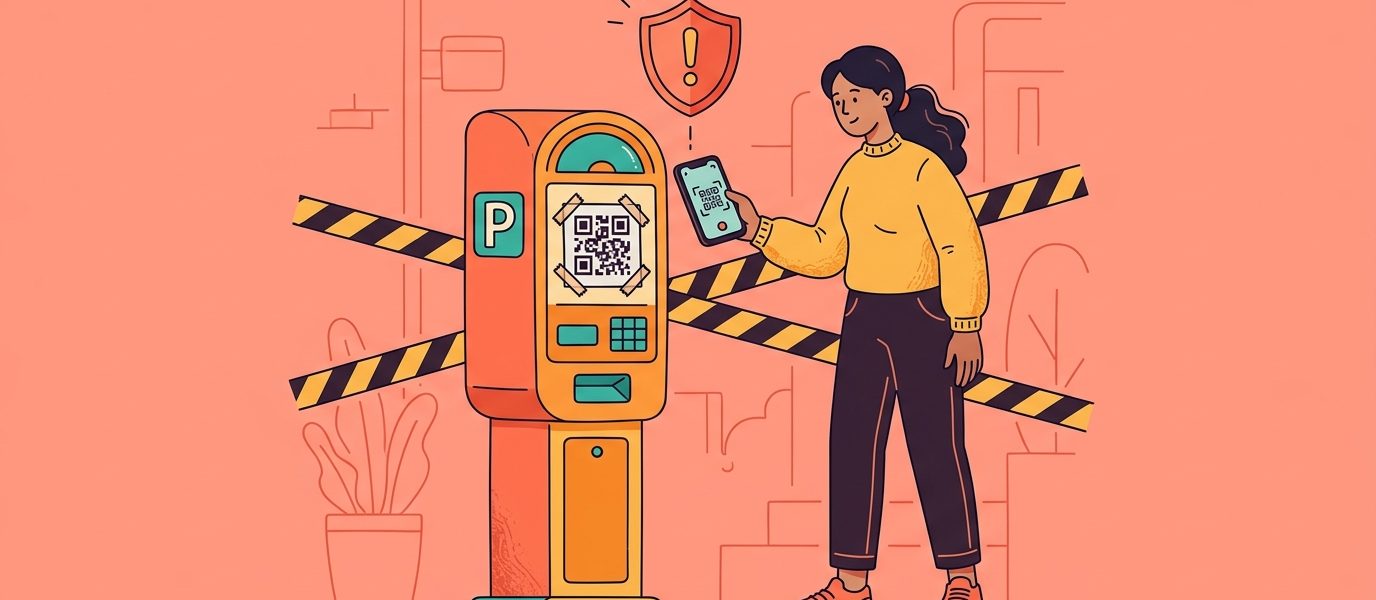
You’re at a parking meter, running late. There’s a QR code on the machine — scan to pay. You pull out your phone, scan, and a payment page loads. You enter your card number, tap pay, and walk away. Except the page wasn’t from the city. It was from a scammer who stuck a fake QR code over the real one. Your card number is now in someone else’s hands.
This isn’t hypothetical. QR code scams are one of the fastest-growing forms of fraud, and they’re catching people off guard because most of us have been trained to scan first and think later. The technology that makes QR codes convenient — instant, frictionless, no typing required — is exactly what makes them dangerous when exploited.
This guide covers how QR code scams work, the most common types you’ll encounter, and exactly what to do to protect yourself — whether you’re a consumer scanning codes or a business using them.
How Big Is the QR Code Scam Problem?
The numbers are staggering. According to recent QR code statistics, QR code phishing — known as “quishing” — has exploded:
- Quishing attacks rose 587% from 2022 to 2023 (Keepnet Labs)
- QR code phishing jumped another 25% in 2025, affecting over 26 million Americans (Hoxhunt)
- 26% of all malicious links are now embedded in phishing QR codes (Hoxhunt)
- Nearly 2% of all scanned QR codes are malicious (QR Tiger)
- 73% of Americans scan QR codes without verifying the destination URL first (ScamWatch HQ)
The core problem: QR codes are opaque. Unlike a link you can read before clicking, a QR code reveals nothing about its destination until after you scan it. Scammers exploit this blind trust.
What Is Quishing?
Quishing — QR code phishing — is the use of QR codes to direct victims to fraudulent websites that steal credentials, payment information, or install malware. It’s the QR code equivalent of a phishing email, but harder to detect because you can’t preview the URL before scanning.
Traditional phishing relies on suspicious-looking links in emails or texts. Quishing bypasses this entirely. The QR code itself looks legitimate — there’s no misspelled URL or sketchy domain to spot. The victim only sees the destination after they’ve already scanned and their browser has loaded the page.
Quishing attacks have been found in:
- Emails posing as corporate IT departments (“Scan to verify your account”)
- Fake parking meter and restaurant payment stickers
- Phishing letters mailed to homes with QR codes for “package delivery” or “account verification”
- Fake Wi-Fi login pages at cafes and airports
- Fraudulent flyers posted in public spaces
The Most Common QR Code Scams
1. Fake QR Code Stickers (Overlay Scams)
This is the most common physical QR code scam. A scammer prints a fake QR code on a sticker and places it over a legitimate one — on a parking meter, restaurant table, transit sign, or store display. The victim scans what they think is the business’s code, but they’re actually visiting the scammer’s phishing page.
In 2022, the FBI issued a warning after fake QR code stickers appeared on parking meters in major US cities including Austin, Houston, and San Antonio. Victims who scanned the codes were directed to fake payment pages that captured their credit card information.
How to spot it: Look for stickers placed on top of other stickers or printed materials. If a QR code looks like it was added after the fact — raised edges, different paper quality, slightly crooked — don’t scan it.
2. Brushing Scam QR Codes
You receive a package you didn’t order — often from Amazon or another major retailer. Inside is a product you never bought, along with a card or insert with a QR code. The message says something like “Scan to learn more about your product” or “Scan to register your warranty.“
This is a brushing scam. The seller sent you an unsolicited package to generate a fake “verified purchase” review. The QR code might lead to a phishing page, a data-harvesting survey, or a site that installs malware. At best, it’s a deceptive marketing scheme. At worst, it’s identity theft.
How to spot it: If you receive a package you didn’t order with a QR code inside, don’t scan it. Report the brushing scam to the retailer and the FTC.
3. Email and Document Quishing
Scammers embed QR codes in phishing emails to bypass email security filters. Most email security tools scan URLs in the email body — but they can’t read the destination encoded in a QR code image. The email might look like it’s from Microsoft, Google, your bank, or your company’s IT department, asking you to “scan to verify your identity” or “scan to reset your password.“
This is why QR codes were used in 22% of all phishing attacks in 2024–2025. They’re an effective way to slip malicious links past automated defenses.
How to spot it: Legitimate companies rarely ask you to scan a QR code in an email. If an email contains a QR code and urgency language (“Your account will be suspended“), it’s almost certainly a scam.
4. Fake Wi-Fi QR Codes
A scammer places a QR code in a cafe, hotel lobby, or airport with a label like “Free Wi-Fi — Scan to Connect.” Instead of connecting you to Wi-Fi, the code directs you to a fake login page that captures your email, password, or payment information. Some variants actually connect you to a rogue Wi-Fi network that intercepts your traffic.
Legitimate WiFi QR codes connect you directly to a network without requiring a login page. If scanning a “WiFi” QR code opens a webpage asking for personal information, close it immediately.
5. Cryptocurrency and Payment Scams
Scammers use QR codes to direct victims to fraudulent cryptocurrency wallets or payment pages. The setup often involves a phone call or text from someone posing as a utility company, government agency, or tech support — instructing the victim to “pay a fine” or “secure their account” by scanning a QR code at a Bitcoin ATM or payment terminal.
How to spot it: No legitimate organization will ask you to make a payment via QR code to a cryptocurrency wallet. Ever.
6. Fake Package Delivery Notices
You find a card on your door or in your mailbox: “We missed your delivery. Scan to reschedule.” The QR code leads to a phishing page disguised as USPS, UPS, or FedEx, asking for your address, phone number, and sometimes payment for a “redelivery fee” that doesn’t exist.
How to spot it: Delivery services leave tracking numbers, not QR codes. If you receive an unexpected delivery notice with only a QR code, go directly to the carrier’s official website instead of scanning.
Create Trustworthy QR Codes Your Customers Can Verify
Dynamic QR codes with transparent short links — no hidden redirects.
Create Your Free QR Code NowAre QR Codes Safe?
Yes — the technology itself is safe. A QR code is just a way to encode information visually. It’s no more inherently dangerous than a URL printed on a piece of paper. The risk comes from where the QR code sends you, not from the code itself.
Scanning a QR code cannot install malware on your phone by itself. Your phone’s camera reads the code, decodes the URL, and shows you a preview before opening it. The danger begins when you tap through to a malicious website and enter personal information or download something.
Think of it this way: a QR code is a door. The door itself isn’t dangerous — what matters is what’s on the other side. The question isn’t “are QR codes safe?” but rather “is this specific QR code from a source I trust?“
How to Protect Yourself from QR Code Scams
You don’t need to stop scanning QR codes. You just need to scan smarter. Here are the habits that keep you safe.
1. Check the URL Before You Tap
When you scan a QR code, your phone shows you a URL preview before opening it. Actually read it. Look for:
- Misspelled domain names (g00gle.com instead of google.com)
- Suspicious domains you don’t recognize
- HTTP instead of HTTPS
- Excessively long URLs with random characters
If the URL doesn’t match what you’d expect — a parking meter code should go to the city’s payment system, not a random domain — don’t tap it.
2. Inspect Physical QR Codes for Tampering
Before scanning a QR code on a parking meter, restaurant table, or public sign, look at it closely:
- Is it a sticker placed over another code?
- Does the paper or print quality differ from the surrounding material?
- Are the edges raised or slightly crooked?
- Does it look like it was added after the original signage was installed?
If anything looks off, don’t scan. Find another way to access the service — type the URL directly, use the business’s app, or ask an employee.
3. Never Enter Payment Info from an Unsolicited QR Code
If a QR code you didn’t expect leads to a payment page, stop. Legitimate payment flows from QR codes should take you to a recognized payment processor (Square, Stripe, PayPal) or a URL you recognize as the business’s domain. If it asks for your full credit card number on a page that doesn’t look professional, close the browser immediately.
4. Be Skeptical of QR Codes in Emails
QR codes in emails are a major red flag. Legitimate companies send clickable links in emails — they have no reason to make you pull out your phone and scan a code from your computer screen. If an email asks you to scan a QR code to “verify your account” or “update your payment method,” it’s almost certainly quishing.
5. Don’t Scan QR Codes from Unexpected Packages
If you receive a package you didn’t order with a QR code inside, don’t scan it. This is a classic brushing scam. Report it to the retailer and the FTC at reportfraud.ftc.gov.
6. Keep Your Phone Updated
Modern smartphones (iOS and Android) show URL previews when you scan QR codes and warn you about known malicious websites. Make sure your operating system and browser are up to date to benefit from the latest security protections.
How Businesses Can Protect Their Customers
If you’re a business using QR codes — on restaurant menus, real estate signs, product packaging, or marketing materials — you have a responsibility to make your codes trustworthy. Here’s how.
Use a Recognizable Short Domain
When customers scan your QR code, the URL preview should look legitimate. A code that resolves to qrch.am/your-menu or yourbrand.com/menu is immediately more trustworthy than bit.ly/3xK9mPz or a random string of characters. Platforms like QR Chameleon use a consistent short domain (qrch.am) so customers can learn to recognize and trust your links.
Use Dynamic QR Codes
Dynamic QR codes give you control. If someone places a fake sticker over your code, you can check your scan analytics and notice unusual patterns — a sudden drop in scans at one location, scans from unexpected geographies, or a spike in scans with no corresponding conversions. Static codes give you zero visibility.
Dynamic codes also let you update the destination if a URL changes, without reprinting materials. This means your codes always point somewhere legitimate and current.
Physically Secure Your QR Codes
Print QR codes directly onto materials rather than using stickers when possible. If you must use stickers, use tamper-evident labels that show visible damage if someone tries to peel them off. Regularly inspect your QR code placements — especially in public-facing locations — for signs of tampering.
Add Context Around Your QR Codes
Tell customers where the code will take them. A label that says “Scan to view our menu at qrchameleon.com” is far more trustworthy than a bare QR code with no explanation. This also helps customers verify the URL matches what they see after scanning.
Monitor Your Scan Analytics
If you’re using a QR code platform with analytics, watch for anomalies. A Google review QR code at your counter that suddenly shows zero scans might mean someone covered it with a fake code. A code on a flyer that shows scans from a country where you don’t operate could indicate the image was copied and misused.

Ready to create your own QR codes?
Start for free — no credit card required.
Create Your Free Account NowWhat to Do If You’ve Been Scammed
If you scanned a QR code and entered personal or payment information on a suspicious site, act fast:
- Contact your bank or credit card company immediately. Report the compromised card and request a freeze or replacement. Most banks can reverse fraudulent charges if reported quickly.
- Change your passwords. If you entered login credentials, change those passwords immediately — and any other accounts that use the same password.
- Enable two-factor authentication on any accounts that may have been exposed.
- Report the scam. File a report with the FTC at reportfraud.ftc.gov and the FBI’s Internet Crime Complaint Center at ic3.gov.
- Monitor your credit. Consider a credit freeze or fraud alert through the three major bureaus (Equifax, Experian, TransUnion).
- Scan your device for malware. Run a security scan on your phone to check for any malicious software that may have been installed.
The Bottom Line: Scan Smart, Not Scared
QR codes aren’t going away. Over 100 million Americans scan them regularly, and adoption is only growing. The technology itself is safe — the risk comes from bad actors who exploit the trust we’ve built around scanning.
The fix isn’t to stop scanning. It’s to build the same habits around QR codes that we’ve built around email links: pause, check the source, verify the URL, and trust your instincts when something feels off.
For businesses, the best defense is transparency. Use a recognizable short domain, add context around your codes, monitor your analytics, and make it easy for customers to verify where your codes lead. Platforms like QR Chameleon create dynamic QR codes with transparent short links, full scan analytics, and editable destinations — so your codes stay trustworthy and under your control.
QR Code Scam FAQs
Scanning a QR code alone cannot hack your phone or install malware. The code simply encodes a URL or data that your phone displays. The risk begins if you tap through to a malicious website and enter personal information, download a file, or grant permissions. Always check the URL preview before proceeding.
Quishing is QR code phishing — using QR codes to direct victims to fraudulent websites that steal credentials, payment information, or install malware. It’s growing rapidly because QR codes bypass traditional email security filters that scan for suspicious URLs.
Check for physical tampering (stickers placed over other codes), verify the source is trustworthy, and always read the URL preview your phone shows before tapping. If the URL doesn’t match what you’d expect from the business or service, don’t proceed.
Contact your bank immediately if you entered payment information. Change any passwords you may have entered. Enable two-factor authentication on affected accounts. Report the scam to the FTC at reportfraud.ftc.gov and the FBI’s IC3 at ic3.gov. Run a security scan on your device.
Most are legitimate, but parking meter QR code scams are one of the most common types. Before scanning, look for signs of tampering — stickers placed over other codes, raised edges, or different print quality. Verify the URL matches the city’s official payment system before entering any payment information.
A QR code itself cannot steal information — it just encodes a URL. However, the website it links to can be a phishing page designed to trick you into entering personal or payment data. The QR code is the delivery mechanism, not the weapon.
A brushing scam involves receiving an unsolicited package with a QR code inside. The code may lead to a phishing page, data-harvesting survey, or malware. The package was sent by a seller to generate fake ‘verified purchase’ reviews. Don’t scan the code — report it to the retailer and the FTC.
Use dynamic QR codes with scan analytics to detect tampering. Print codes directly on materials rather than using stickers. Use a recognizable short domain so customers can verify the URL. Add context labels explaining where the code leads. Regularly inspect physical code placements for signs of overlay stickers.
Want QR codes your customers can trust? QR Chameleon creates dynamic QR codes with transparent short links, full scan analytics, and editable destinations — so you always know where your codes lead and your customers can verify before they tap.