

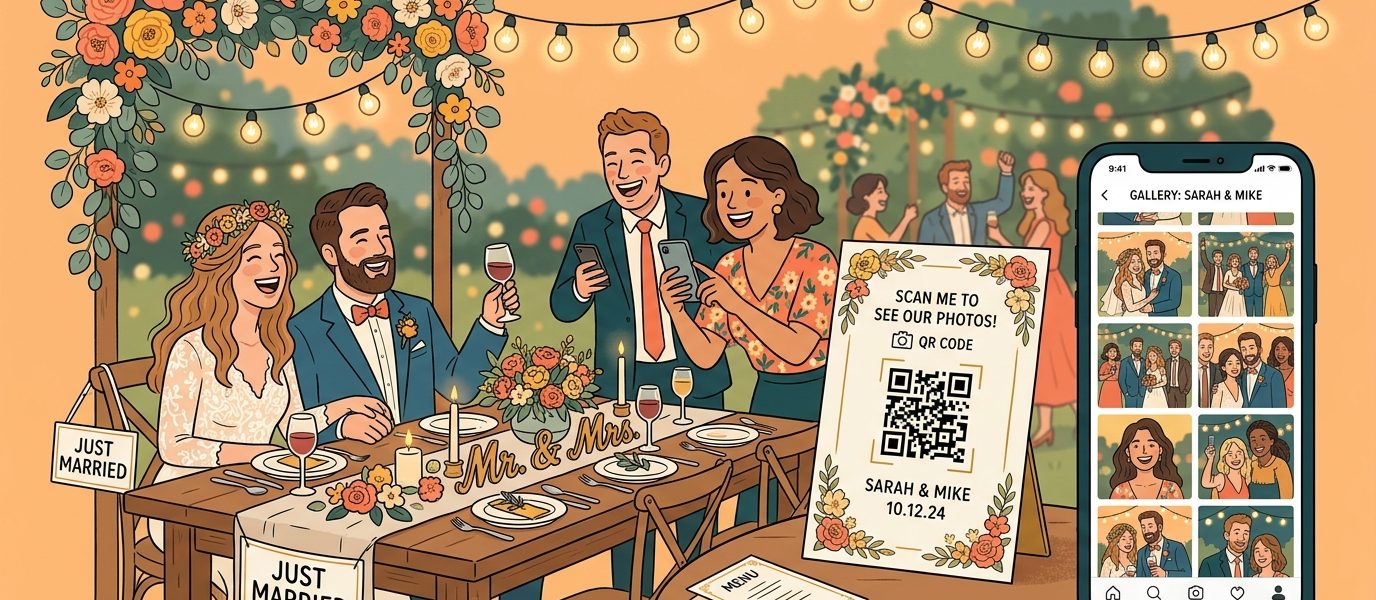
Wedding QR codes are quietly becoming one of the most practical additions to modern weddings. Instead of hoping guests will type a long URL into their phone — or worse, forget it entirely — a quick scan handles everything. RSVP? Scan. Photo sharing? Scan. Registry? Scan. Directions to the venue? You get the idea.
The best part is that they blend into your wedding aesthetic instead of fighting it. A small, elegant QR code on an invitation or table card does the job of an entire insert card — without the extra paper, postage, or confusion.
This guide covers every way couples are using wedding QR codes in 2026, from the most popular use case (photo sharing) to the ones most people don’t think of until the last minute.
QR Code for Wedding Photos (The #1 Use Case)
If there’s one wedding QR code that earns its place, it’s a photo-sharing code. Every guest has a camera in their pocket, but collecting those photos after the wedding is a logistical nightmare. You post on Instagram asking people to send their pictures, your aunt texts you 47 photos one at a time, and your college roommate’s amazing candid shots disappear into a group chat nobody checks.
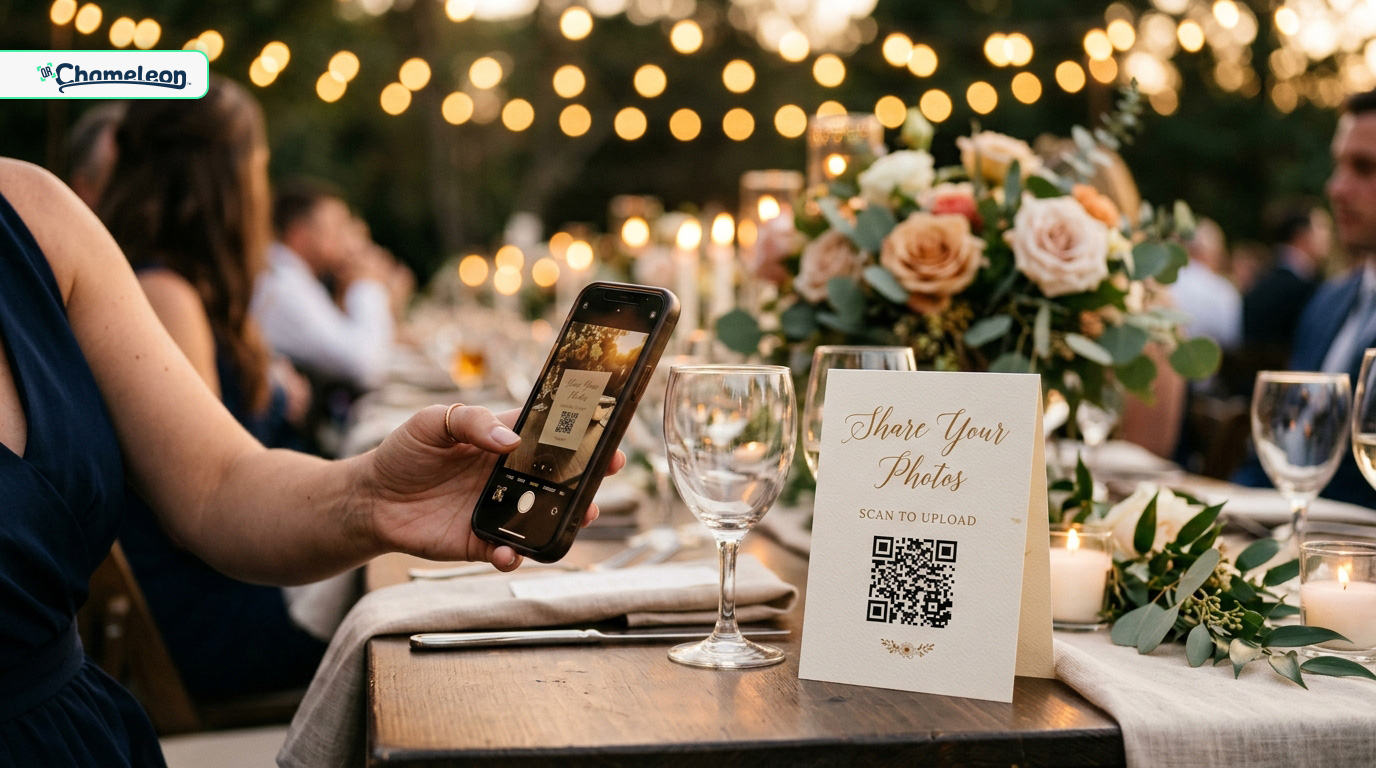
A QR code for wedding photos solves this by giving every guest a single destination to upload and view pictures. When they scan, they land on a shared album or upload page — no app downloads, no account creation, no friction.
How to Set It Up
- Choose a photo-sharing platform — Google Photos shared albums, iCloud shared albums, or dedicated wedding photo apps like GuestSnap or WithJoy
- Create your shared album and copy the sharing link
- Use the “Try it Free” widget in the bottom-right corner of this page — select QR Code, paste your album link, and click Create QR Code. You’ll create a free account in seconds (no credit card required) and land directly in the QR code editor
- Style the QR code to match your wedding colors
- Download as SVG for print-quality output at any size
Why dynamic matters here: If you switch photo platforms, change the album link, or want to redirect to a “thank you” page after the wedding, you just update the destination — no reprinting needed. Plus you get scan analytics, so you can see how many guests actually used it.
Where to Display It
- Table cards at every table — this is the highest-converting placement because guests are sitting, phones are out, and they have time to scan
- A sign near the entrance or photo booth — catches guests as they arrive
- The back of the program — gives people something to do during downtime
- Printed on a napkin or coaster — subtle and reusable
Add a short call to action: “Share your photos — scan here!” People are much more likely to scan when they know what the code does.
RSVP QR Codes
The traditional RSVP process is slow, unreliable, and expensive. You mail a response card, include a pre-stamped return envelope, and then wait weeks — chasing down the 30% who never respond. An RSVP QR code printed directly on your invitation replaces all of that with a 5-second scan.
How It Works
- Create your RSVP form using a platform like WithJoy, Zola, The Knot, Google Forms, or your wedding website’s built-in RSVP feature
- Copy the RSVP form URL
- Generate a QR code from that URL using QR Chameleon
- Print it on your invitation, insert card, or save-the-date
Guests scan the code, fill out the form on their phone, and you get instant responses — no mailbox checking required. Most couples see significantly higher and faster response rates with QR code RSVPs compared to traditional mail.
Pro tip: Include the QR code alongside the URL text (not instead of it). Some older guests may prefer typing the address, and having both options means nobody gets left out.
Wedding Website QR Code
Your wedding website has all the essential details — venue address, schedule, dress code, accommodation recommendations, registry links, parking info, and dietary preference forms. The problem is getting people to actually visit it.
A QR code printed on save-the-dates, invitations, or info cards gives guests instant access. One scan and they have everything they need — no typing, no searching their email for the link you sent three months ago.
This is another case where a dynamic QR code pays off. As your wedding website content changes (you add the final schedule, update the parking instructions, confirm the after-party location), the same QR code always points to the latest version.
Create Beautiful Wedding QR Codes
Match your wedding colors, download in print-ready SVG, and track scans. Free to start.
Create Your Free Wedding QR CodeRegistry QR Code
Sharing your registry link has always been awkward. Etiquette says don’t put it on the invitation, but if you don’t, people ask — or worse, they buy something off-registry and you end up with four toasters.
A registry QR code on an insert card, shower invitation, or your wedding website keeps it accessible without being pushy. If you’re registered at multiple stores, link to your wedding website’s registry page (which lists all of them) rather than a single retailer. For Amazon registries specifically, check out our guide on QR codes for Amazon wishlists.
More Wedding QR Code Ideas
Once you start thinking in QR codes, you’ll find uses everywhere. Here are the ones couples are actually using — not just theoretical ideas that look good in a listicle.
Seating Chart
Instead of a printed seating chart that causes a bottleneck at the reception entrance, a QR code links to a searchable digital version. Guests scan, search their name, and find their table in seconds. This works especially well for larger weddings where a physical chart becomes a crowd control problem.
Menu
A QR code on each table linking to the dinner menu is clean, elegant, and saves on printing costs — especially if you’re doing a multi-course meal. It also makes last-minute menu changes painless. If you need to swap a dish because of a supply issue, update the link and every table has the correct menu instantly.
WiFi Access
If your venue has WiFi (and your guests will need it for photo uploads), a WiFi QR code lets them connect without asking the venue staff for the password. Place it alongside your photo-sharing QR code for maximum effect.
Music Requests
Link to a shared Spotify playlist or a Google Form where guests can submit song requests. Put the code on a small sign near the dance floor or on table cards. It’s a fun interactive element that gets guests engaged — and ensures the DJ plays what people actually want to hear.
Thank You Cards
After the wedding, include a QR code on your thank you cards linking to a highlight reel, photo album, or video montage. It transforms a standard thank you note into a keepsake that guests will actually revisit.
Guestbook
A digital guestbook (via Google Forms, a wedding website feature, or a dedicated app) lets guests leave messages, upload selfies, or record video wishes. A QR code at the guestbook table makes it accessible to everyone, especially younger guests who’d rather type than write.
How to Create Wedding QR Codes
Creating wedding QR codes takes about 5 minutes per code. Here’s the process using QR Chameleon.
- Gather your URLs — wedding website, RSVP form, photo album, registry page, etc.
- Use the “Try it Free” widget in the bottom-right corner of this page (or any page on qrchameleon.com) — select QR Code, paste your URL, and click Create QR Code
- Create your free account — takes 10 seconds, no credit card required. You’ll land directly in the QR code editor
- Customize the design — match your wedding colors, choose a dot pattern, optionally add a small logo or monogram
- Download as SVG for print (scales to any size without pixelation) or PNG for digital use
- Repeat for each URL you need a code for
Choose dynamic QR codes so you can update destinations later, track scans, and see which codes guests actually use. This is particularly valuable for photo sharing — you can see whether 20 guests or 200 guests scanned the code, and follow up accordingly.
Design Tips for Wedding QR Codes
Wedding stationery is one area where aesthetics genuinely matter. Nobody wants an ugly black-and-white square ruining a carefully designed invitation suite. The good news is that QR codes are highly customizable — and can actually look elegant when done right.
Match Your Color Palette
QR codes don’t have to be black. Use your wedding colors — a deep navy code on cream card stock, a sage green code on white, or dusty rose on ivory. The only rule is maintaining enough contrast for reliable scanning. Dark code on a light background always works; avoid light-on-light or dark-on-dark.
Keep It Small but Scannable
- Invitation insert or table card (arm’s length): minimum 1 inch square — but 1.5 inches is safer
- Welcome sign or poster (3–6 feet): minimum 3 inches square
- Large display or banner (10+ feet): 6 inches or larger
Always use SVG format for print materials. SVG files are vector-based, which means they scale to any size without becoming pixelated — unlike PNG or JPEG.
Add a Label
A QR code without context gets ignored. Always include a short line of text explaining what happens when guests scan:
- “Scan to RSVP“
- “Share your photos here“
- “View our wedding website“
- “Find your table“
Test Before You Print 500 Copies
Print one copy of every QR code you plan to use. Scan each one with both iPhone and Android. Check that it goes to the right destination, loads quickly, and works on mobile. Then — and only then — send it to the printer. A QR code that doesn’t scan is worse than no QR code at all.
Static vs. Dynamic: Which Type for Weddings?
This matters more than most couples realize. Here’s the difference and why it matters for wedding use.
| Feature | Static QR Code | Dynamic QR Code |
|---|---|---|
| Destination | Permanently fixed | Can be changed anytime |
| Scan tracking | None | Full analytics (scans, devices, locations) |
| Best for | Simple WiFi codes | Photos, RSVP, website, registry — anything you might update |
| What if the link changes? | Reprint everything | Update the redirect — no reprinting |
| After the wedding | Can’t repurpose | Redirect to thank-you page or photo album |
Bottom line: Use dynamic QR codes for anything printed on invitations, programs, or signage. The cost difference is minimal, and the flexibility is worth it. For a deeper comparison, read our full guide on static vs. dynamic QR codes.
Real-World Wedding QR Code Placement Guide
Here’s a practical checklist of where to use QR codes throughout the wedding timeline.
Save-the-Dates
- QR code linking to your wedding website
- Keep it small and unobtrusive — this is a teaser, not the main event
Invitations
- RSVP QR code (the star of the show)
- Wedding website QR code on the details insert card
- Print the URL as text alongside the code for accessibility
Ceremony
- Program with QR code to wedding website or live stream link (for remote guests)
- Welcome sign with WiFi and photo-sharing codes
Reception
- Table cards with photo-sharing code (highest priority)
- Menu QR code on each table
- Seating chart QR code at the entrance
- Song request code near the dance floor
- Guestbook QR code at the guestbook table
- WiFi access code posted visibly
After the Wedding
- Thank you cards with QR code linking to highlights or photo album
- Redirect your existing dynamic QR codes to a “thank you” page or final photo gallery
Common Mistakes to Avoid
After helping thousands of users create QR codes, here are the wedding-specific mistakes we see most often.
- Using static codes on printed invitations — if anything changes (and it will), you can’t update the destination without reprinting
- Printing too small — a QR code under 1 inch on a busy invitation background will frustrate guests. Give it room to breathe
- No label or call to action — a mystery QR code gets ignored. Always tell guests what they’ll get when they scan
- Low contrast colors — gold foil QR code on cream card stock looks beautiful and scans terribly. Test before you commit
- Too many QR codes in one place — three codes on a single card is confusing. Spread them across different touchpoints
- Not testing on real paper — screen and print are different. Always print a test copy and scan it before your final print run
- Forgetting accessibility — not every guest is comfortable with QR codes. Include the URL as text and have a backup plan for guests who prefer a traditional approach

Ready to create your own QR codes?
Start for free — no credit card required.
Create Your Free Account NowWedding QR Code FAQs
Pick any URL you want guests to access — your wedding website, RSVP form, photo album, or registry. Go to QR Chameleon, create a free account, paste your URL, customize the design to match your wedding colors, and download as SVG for print or PNG for digital use.
A dynamic QR code linking to a shared photo album (Google Photos, iCloud, or a dedicated wedding photo app) works best. Dynamic codes let you update the album link later, track how many guests scanned it, and redirect to a final gallery after the wedding.
The highest-impact placements are: RSVP code on invitations, photo-sharing code on reception table cards, wedding website code on save-the-dates, and WiFi code on a sign near the entrance. Spread codes across different touchpoints rather than cramming multiple codes onto one item.
Dynamic. Wedding plans change constantly — venue details get updated, photo album links move, RSVP deadlines extend. Dynamic codes let you change the destination without reprinting. They also give you scan analytics so you can see which codes guests actually used.
For invitation inserts and table cards (scanned at arm’s length), keep it at least 1.5 inches square. For signs visible from 3 to 6 feet, go with 3 inches minimum. Always download as SVG for print — it scales to any size without pixelation.
Yes. With QR Chameleon you can change the code color, background, dot pattern, and even add a small logo or monogram. Just maintain enough contrast between the code and background — dark code on light background is the safest bet for reliable scanning.
Yes. QR Chameleon’s free plan lets you create dynamic QR codes with custom styling and scan analytics. For most weddings, the free plan covers everything you need.
Always include the URL as plain text alongside the QR code, and have printed backup materials available. Most modern smartphones scan QR codes automatically with the default camera app — no special app needed. But having a fallback ensures no guest feels excluded.
Planning a wedding and want QR codes that match your aesthetic? QR Chameleon lets you create custom, print-ready QR codes for photos, RSVPs, your wedding website, and more — with full color customization and scan tracking. Start free, no credit card required.