

If you’re looking for the best link in bio for OnlyFans and Fansly, you need more than a basic list of links. You’re promoting your OnlyFans or Fansly across multiple platforms — Instagram, TikTok, Twitter, Reddit, maybe a few others. Each platform gives you one link in your bio. You need that link to do a lot of work.
Most creators use Linktree or something similar. It works, but it’s basic. You get a list of links and no idea which ones people actually click.
There’s a better approach: a link-in-bio page that tracks everything — which links get clicked, where your traffic comes from, what devices your audience uses. Data that helps you understand which platforms actually drive subscribers.
Why Content Creators Need More Than a Basic Link Page
You’re Promoting Everywhere
OnlyFans and Fansly creators typically maintain presence on:
- Twitter/X (often multiple accounts)
- TikTok
- Snapchat
- Telegram
- Discord
Each platform has different audiences and conversion rates. Without tracking, you’re guessing which ones matter.
Not All Traffic Converts Equally
100 clicks from Twitter might convert better than 500 clicks from Reddit — or vice versa. If you don’t know where your paying subscribers come from, you can’t focus your energy on what works.
Platform Rules Keep Changing
Instagram shadowbans. TikTok restricts links. Twitter changes algorithms. A link-in-bio page gives you one stable URL you control, pointing to whatever matters most this week.
What to Look for in a Link-in-Bio Tool
Click Tracking (Not Optional)
You need to see:
- Total clicks per link
- Which platforms send the most traffic
- Device breakdown (mobile vs. desktop — most of your audience is on mobile)
- When people click (time of day, day of week)
- Where your audience is at (US, International, City, State)
Without this, you’re flying blind.
Customization That Matches Your Brand
Your link page is often the first thing potential subscribers see after your content hooks them. It should look like you — not a generic template with someone else’s logo on it.
No Judgment, No Surprise Bans
Some link-in-bio tools have vague terms of service around “adult content” and will shut down your page without warning. You need a platform that doesn’t play games.
Free Tier That Actually Works
You’re building a business. Every dollar matters early on. The free tier should include real features — not a crippled demo designed to force an upgrade.
Create Your Free QR Chameleon Page — Linktree alternative
Start for free — no credit card required.
Create Your Free QR Chameleon Page NowQR Chameleon Pages: Built for Creators
QR Chameleon’s Pages feature lets you create link-in-bio landing pages with full analytics — and it’s included on the free plan.
What You Get Free
2 pages per month — enough for your main link-in-bio plus a backup or alternate version
Page analytics:
- Total views
- Click tracking per link (combine with UTM parameters for even deeper insights)
- Geographic breakdown
- Device breakdown
- Referrer tracking (see which platform sent each visitor)
Customization:
- Multiple templates (Link-in-Bio, Business Card, Event Promo, Products & Services)
- Custom colors, backgrounds, and button styles
- Social media icons (including Twitter, Instagram, TikTok, Reddit, Snapchat, Telegram, Discord)
- Image and video embeds
- Custom profile photo and banner.
Your page lives at: qrch.am/pg/your-name
For Creators Specifically
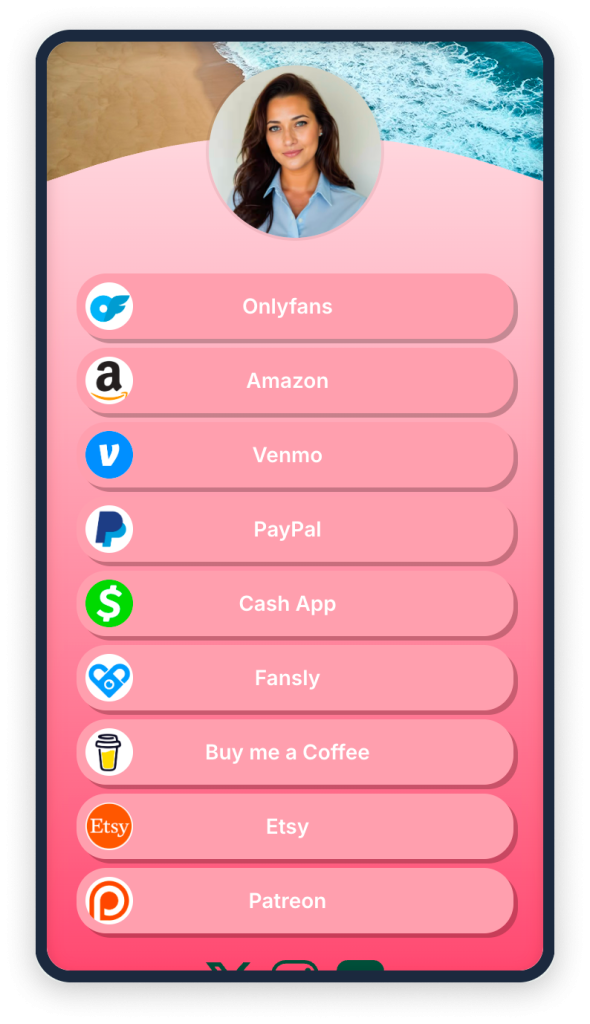
Link your OnlyFans, Fansly, Throne wishlist, cash apps, Amazon wishlist, social profiles — all from one page. See exactly how many people click each link.
When you notice Instagram isn’t sending clicks but Reddit is crushing it, you know where to focus your promo energy.
How to Set Up Your Creator Link Page
Step 1: Create a Free Account
Go to qrchameleon.com/pricing. No credit card required. Sign up with email (no password needed) or Google.
Step 2: Create a New QR Chameleon Page
From your dashboard, click on “Pages” → “Create Page.” Choose the Link-in-Bio template to start with a proven layout.
Step 3: Add Your Links
Add link blocks for each platform:
- OnlyFans — your main subscription link
- Fansly — if you’re on multiple platforms
- Free trial link — if you offer one
- Throne / Wishlist — for gifts
- Cash App / Venmo — for tips
- Social profiles — Twitter, Instagram, TikTok, Reddit, etc.
Label each link clearly. “Say hi on OnlyFans” converts better than just “OnlyFans.”
Step 4: Customize the Look
Match your brand:
- Upload your profile photo
- Set a banner image
- Set background color or image
- Choose button styles (rounded, square, outlined)
- Pick colors that match your aesthetic
Step 5: Set Your Slug or page name
This will be your page URL, brand it to match your other socials: qrch.am/pg/yourname
Keep it short. Keep it consistent with your name across other platforms.
Step 6: Publish and Share
Hit publish. Copy your page URL. Put it in every bio — Instagram, TikTok, Twitter, everywhere you promote.
Track What Matters
Once your page is live and getting traffic, check your analytics:
Which links get clicked?
If your OnlyFans link gets 80% of clicks and Fansly gets 5%, you know where your audience prefers to subscribe.
Where does traffic come from?
See referrer breakdown — are people finding you from Twitter? Reddit? Direct traffic from someone sharing your link?
Regionally where are your users visiting your page from? City, State, Country, etc.
What devices are they using?
Almost certainly mobile. But if desktop traffic converts better (people with credit cards at their computer), that’s worth knowing.
When do people visit?
Night time? Weekends? Schedule your promo posts for when your audience is active.
Why Not Just Use Linktree?
Linktree works. Millions of people use it. But:
Limited analytics on free tier. Linktree’s free plan shows lifetime click counts — not referrer data, not device breakdown, not time-based patterns. You need to pay $5/month for “Pro” to get actual insights.
Everyone has one. Your Linktree page looks like every other Linktree page. Customization is limited unless you pay.
Adult content policies. Linktree’s terms prohibit “sexually explicit content.” They may not enforce this consistently, but it’s a risk — your page could disappear without warning.
QR Chameleon difference:
- Full analytics on free tier (7 days of data)
- More customization options
- No vague content policies designed to ban you later
- QR code included with every page (useful for IRL promo — printed on merch, tip menus, etc.)
Link in Bio for OnlyFans: What Makes It Different
A link in bio page for OnlyFans creators has different requirements than one for a lifestyle blogger or small business. Here’s what matters most:
- Platform safety — Some link-in-bio tools ban adult content creators without warning. QR Chameleon doesn’t police your content — your page, your links, your business.
- Subscriber conversion tracking — Knowing which platform drives the most subscribers is the difference between guessing and growing. UTM parameters let you track exactly where each click comes from.
- Multiple monetization links — You’re not just linking to one platform. You need OnlyFans, Fansly, Throne wishlists, tip jars, merch stores, and social profiles all in one place.
- Fast loading on mobile — Most of your traffic comes from Instagram and TikTok on mobile devices. A slow page loses subscribers before they even see your links.
- No branding from the tool — Free Linktree pages show Linktree’s logo. QR Chameleon’s free plan lets you customize without third-party branding getting in the way.
Promoting Your Link in Bio Offline with QR Codes
Your link in bio page doesn’t have to live only on social media. A dynamic QR code pointing to your page works on printed materials too:
- Convention and expo booths — Print a QR code on a banner or card so attendees can find all your profiles instantly
- Business cards — A QR code on a business card links directly to your creator page
- Merch inserts — Include a card with a QR code in merch shipments to convert buyers into subscribers
- Collaboration shoutouts — Share a QR code image in a creator group chat or Discord for cross-promotion
Because the QR code is dynamic, you can update your page URL or rearrange links without reprinting anything.
Level Up: QR Codes for Real-World Promo
Every QR Chameleon page comes with an auto-generated QR code.
Use it for:
- Tip menus — print the QR code on a sign during live streams
- Merch — put it on stickers, cards, or packaging
- Collabs — give other creators a QR code that links to your page
- Events — if you do conventions, meetups, or appearances
When someone scans the QR code, it shows up in your analytics as a scan — separate from regular link clicks. You can see exactly how much traffic your printed materials drive.
Frequently Asked Questions
What is the best link in bio for OnlyFans?
The best link-in-bio tool for OnlyFans creators includes click tracking, customization, and doesn’t have restrictive content policies. QR Chameleon Pages offers all three on the free tier — including analytics that Linktree charges $5/month for.
Can I use Linktree for OnlyFans?
Technically yes, but Linktree’s terms of service prohibit u0026quot;sexually explicit content.u0026quot; Enforcement is inconsistent, but creators have had pages removed without warning. Use a platform that doesn’t have vague policies around adult content.
How do I create a link in bio for Fansly?
Same process as OnlyFans — create a link-in-bio page and add your Fansly subscription link. If you’re on both platforms, add both links and track which one your audience prefers.
Do I need a link in bio page?
If you’re promoting across multiple platforms, yes. Instagram, TikTok, and Twitter only allow one link in your bio. A link-in-bio page lets that one link lead to everything — your subscription platforms, socials, wishlist, and more.
Can I track clicks on my OnlyFans link?
OnlyFans doesn’t provide click analytics. But if you use a link-in-bio page with tracking (like QR Chameleon Pages), you can see exactly how many people click your OnlyFans link — and where they came from.
Is QR Chameleon free for creators?
Yes. The free plan includes 2 pages per month with full analytics (7-day history), customization, and QR code generation. No credit card required.
Start Building Your QR Chameleon Page
Stop guessing which platforms drive subscribers. Build a link-in-bio page that shows you the data.
2 pages, full analytics, no credit card.