


Last updated: August 17, 2026
If you run inventory in NetSuite, the barcode question usually starts simple: can NetSuite print its own barcodes, or do you need to buy something to do it? I have walked NetSuite admins through this in operations ranging from single-warehouse shops to OneWorld deployments, and the answer is almost always the same. NetSuite generates barcodes natively, and for internal warehouse scanning that is usually all you need.
The confusion starts one question later. Now a phone has to scan the code instead of a warehouse gun, the destination has to shift after you have already printed a thousand labels, and every scan has to leave a record behind. That is a different job, and it is where a QR code layer comes in.
This guide covers what NetSuite barcoding does out of the box, which formats it supports, where the native approach stops, and when it makes sense to add trackable QR codes on top.
TL;DR
- NetSuite generates barcodes natively through its Advanced PDF/HTML templates, so for internal warehouse scanning you rarely need to buy anything extra.
- Native barcodes are static identifiers built for authenticated warehouse scanners: fixed at print time, no per-scan log, and internal by design.
- Add trackable QR codes only where native barcodes stop, meaning phone scanning, customer-facing destinations, per-scan audit trails, or labels you re-point without reprinting.
- Run both. Keep NetSuite’s Code 128 labels for the warehouse floor, and layer trackable QR codes onto the workflows that cross outside it through the REST API.
Can NetSuite Generate Barcodes?
Yes. NetSuite renders barcodes natively through its Advanced PDF/HTML template engine. On any transaction form or item label template, you drop a barcode element that encodes a field from the record, and NetSuite prints the barcode when the form generates. Item labels, packing slips, pick tickets, and bin labels are the usual candidates.
In practice, teams produce and read those barcodes three ways:
- Advanced PDF/HTML templates. The template engine encodes a value (an item ID, a lot number, a transaction number) into a scannable code on the printed form. This is the built-in, no-extra-license path.
- SuiteScript. For anything the template engine does not cover, a script pulls field values and generates labels in batches or pushes data to a label printer.
- Mobile scanning. Reading those barcodes on the floor comes from NetSuite’s own WMS SuiteApp or from partner scanning apps that read against NetSuite records in real time.
For a straightforward operation, the template path plus a scanner speeds up receiving and picking without any third-party tooling.
What Barcode Format Does NetSuite Use?
Code 128 is the most common default for item and transaction barcodes, because it is compact and encodes the full alphanumeric character set. Teams also lean on Code 39, and the template engine renders the retail symbologies (EAN-13, UPC-A) when you are encoding GTINs for products that sell through retail channels. Oracle’s NetSuite documentation covers the barcode element and its supported types in the Advanced PDF/HTML template reference.
Which symbology you pick usually comes down to what your scanners and downstream partners expect. For internal item tracking, Code 128 is the safe default. For products headed to a retailer, you encode the GTIN in whatever symbology that retailer requires.
One detail worth flagging: the template engine can also render a static QR code on a form. That is handy for encoding a fixed string, but a template-rendered QR code locks at print time. You cannot re-point it later, and it reports nothing back when someone scans it. That limitation is the same one every native barcode shares, and it is the reason the tracking question keeps coming up.
NetSuite Barcode Generator vs. QR Code Generator: Which Do You Need?
Search for a “NetSuite barcode generator” and you will find two different needs hiding behind the same phrase. Sorting out which one you actually have saves you from buying a tool you do not need.
- You need standard 1D barcodes on labels. NetSuite is already your barcode generator here. The Advanced PDF and HTML template engine renders Code 128, Code 39, and retail symbologies natively, and SuiteScript batches them at scale. A third-party barcode generator only earns its place for specialized label formatting the template engine cannot produce.
- You need codes a phone scans, that report back, or that you re-point after printing. That is not a barcode job at all. It is a QR code generator job, because a 1D barcode cannot carry a trackable, editable destination.
NetSuite does not include a dynamic QR code generator of its own. Its template engine can print a static QR code, but that code locks at print time and logs nothing when someone scans it. For a NetSuite QR code generator that produces dynamic, trackable codes, you add a layer like QR Chameleon through the REST API and webhooks, and every scan streams back into NetSuite as a Custom Record. The rest of this guide covers exactly where that line falls.
Where Native NetSuite Barcodes Stop
Native barcodes do one job extremely well: encoding a value on a label so a warehouse scanner reads it back against the ERP. They are static identifiers, and that design has three consequences worth planning around.
- They lock at print time. The label carries one value from the moment it prints. If the destination, form, or workflow behind that code changes, you reprint.
- They do not track. A native barcode scan happens inside your scanner and your WMS. There is no per-scan log of who scanned it, when, or where, unless your scanning app captures that separately.
- They are internal by design. Native barcodes assume the scanner is a warehouse device authenticated into NetSuite. They do not serve a customer, a field technician, or a partner scanning with a phone.
The gotcha I see teams hit most often lives right here. A template-rendered QR code encodes whatever value the field holds at print time, so if you point it at an internal item.nl record URL, an external customer who scans it just lands on a NetSuite login wall. It works perfectly in testing on an authenticated desktop, then fails the first time a real customer scans it. Every operation I have worked with trips on this once.
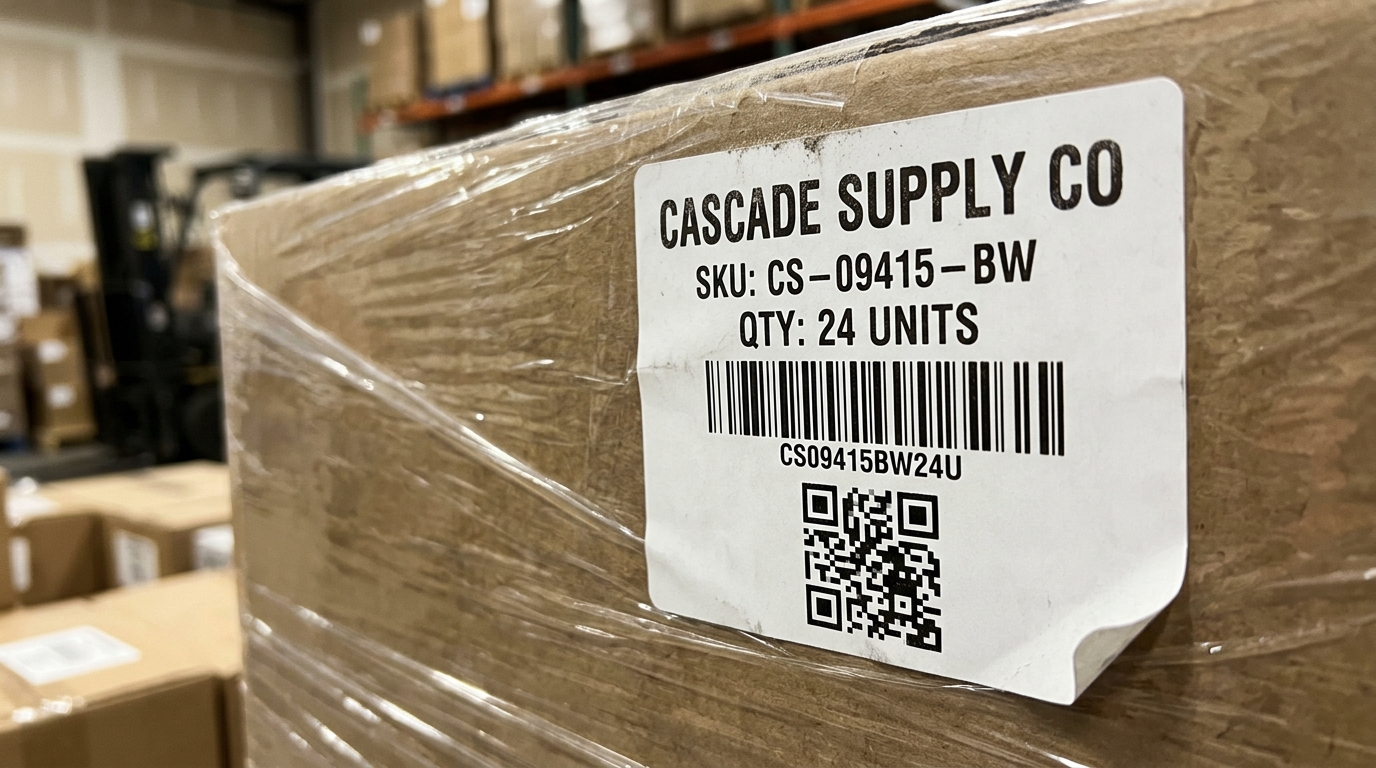
None of that is a flaw. It is the correct design for internal 1D barcode scanning. Plenty of NetSuite operations now need a code a phone can scan, that reports the scan back, and that survives a workflow change without a reprint. That is a QR code job.
When to Add Trackable QR Codes
A trackable QR code is dynamic. It resolves through a short link you control, so you can re-point it to a new record or destination after you print it, and every scan fires back as an event you can log. A dynamic QR code unlocks the use cases native barcodes were never meant to serve:
- Customer-facing tracking. A QR code on a packing slip or product that resolves to a live status page, not an internal NetSuite record.
- Field and asset scanning by phone. Fixed-asset tags a technician scans with a camera, with the app logging the scan as a maintenance or audit event. The same pattern powers QR code asset tracking and equipment tracking workflows.
- Chain-of-custody logs. Every scan of a fulfillment QR code (at pack, at dock, at delivery) writes back into NetSuite as a Custom Record.
- Re-pointable labels. A printed QR code whose destination you change server-side as workflows evolve, with no reprinting.
QR Chameleon fills this layer for NetSuite through the REST API and webhooks, with no SuiteApp to install. A SuiteScript User Event script calls the API to generate a QR code when someone saves an item or fulfillment, and a RESTlet receives scan-event webhooks so every scan lands back in NetSuite as a Custom Record. The full SuiteScript walkthrough, including the User Event script, the RESTlet, and the saved-search patterns, is in our NetSuite QR code integration guide.
One honest boundary, because it matters: QR Chameleon generates QR codes, not 1D barcodes. For internal item-label barcode printing, NetSuite’s native Code 128 and Code 39 rendering is the right tool, and you should keep using it. QR Chameleon adds the trackable, dynamic QR code layer on top, for the external-facing and scan-tracked use cases native barcodes do not cover. Most operations end up running both.
The Practical Split
A simple way to decide which code goes where:
- Use native NetSuite barcodes for internal 1D labels a warehouse scanner reads against the ERP: bin labels, pick tickets, item labels for receiving and cycle counts.
- Add trackable QR codes when a phone needs to scan the code, report each scan back into NetSuite, resolve to a customer-facing page, or point somewhere new after printing.
Native barcodes handle the inside of the four walls. Trackable QR codes handle everything that crosses them. Because both run off standard NetSuite records, you can start with native barcodes today and layer QR codes onto the exact workflows that need them, without ripping anything out.
Frequently Asked Questions
Can NetSuite generate barcodes?
Yes, NetSuite generates barcodes natively through its Advanced PDF/HTML template engine, and SuiteScript can generate them in batches. Reading them on the warehouse floor comes from NetSuite’s own WMS SuiteApp or from partner scanning apps that scan against NetSuite records.
What barcode format does NetSuite use?
Code 128 is the most common default for item and transaction barcodes, with Code 39 also widely used. The template engine additionally supports retail symbologies like EAN-13 and UPC-A for encoding GTINs on products sold through retail channels.
Does NetSuite support QR codes?
NetSuite’s template engine can render a static QR code on a printed form, but it is fixed at print time and does not report scans. For dynamic, trackable QR codes that can be re-pointed after printing and that log every scan back into NetSuite, you add a QR code layer through the REST API and webhooks.
How do you scan barcodes in NetSuite?
You scan NetSuite barcodes with a warehouse scanner or mobile device running NetSuite’s WMS SuiteApp or a partner scanning app, which reads the code and updates the matching NetSuite record in real time. The native workflow is built for authenticated warehouse devices, not customer phones.
What is the difference between a NetSuite barcode and a QR code?
A native NetSuite barcode is a static internal identifier a warehouse scanner reads against the ERP. A trackable QR code is dynamic: it resolves through a short link you control, can be re-pointed after printing, and fires a scan event back into NetSuite as a Custom Record, which makes it the right fit for customer-facing and audit-trail use cases.
How do you generate barcodes in NetSuite?
NetSuite is its own barcode generator. Its Advanced PDF and HTML template engine renders Code 128, Code 39, and retail symbologies like EAN-13 and UPC-A directly on item labels and transaction forms, and SuiteScript can generate them in batches. You only need a separate barcode generator for specialized label formatting the template engine does not produce.
Is there a NetSuite QR code generator for trackable codes?
NetSuite can render a static QR code on a form, but it locks at print time and reports no scans. For a NetSuite QR code generator that produces dynamic, trackable codes you can re-point after printing and that log every scan back into NetSuite, you add a layer like QR Chameleon through the REST API and webhooks.