

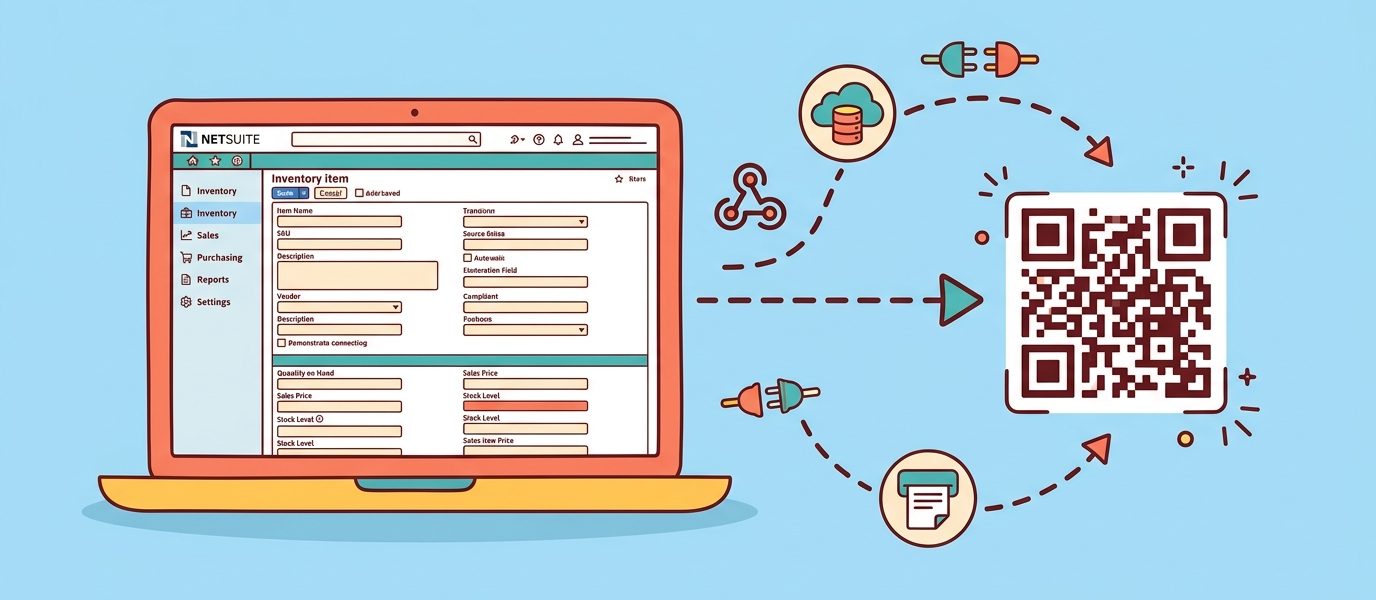
Your NetSuite environment manages 18,000 SKUs across three subsidiaries. The receiving dock scans a printed packing slip every time a pallet arrives, and the operator types the item ID into the Item Fulfillment record by hand. Misreads, transcription errors, and the occasional reversed digit cost real time during cycle counts. Your warehouse team has been asking for native barcode and QR code scanning that hooks into NetSuite item records, and the standard answer has historically been “we’ll evaluate NetSuite WMS at next year’s renewal.”
There is a faster path. The QR Chameleon REST API plus a few hundred lines of SuiteScript 2.1 closes the loop between NetSuite inventory and a phone-scannable label, with no third-party WMS license and no migration project. I have walked NetSuite admins through this integration in customer environments ranging from single-subsidiary 500-SKU operations up through OneWorld deployments processing thousands of fulfillments per day, and the pattern is consistent enough to write down.
This guide covers the SuiteScript patterns, governance considerations, webhook architecture, and SuiteCloud Plus tradeoffs that come up when integrating QR codes into NetSuite operations. For the product overview and plan requirements, see our NetSuite QR code generator page, and for NetSuite’s native barcode formats and where they stop, see our NetSuite barcode generator guide.
Last updated: June 24, 2026
TL;DR
- QR code integration into NetSuite turns every inventory item, sales order, and fulfillment record into a phone-scannable identifier that closes the loop between physical operations and your ERP without a third-party WMS or migration project.
- The pattern is SuiteScript 2.1 User Event scripts for real-time generation, Scheduled Scripts for backfill and missed-trigger catch-up, RESTlets for inbound scan webhooks, and Custom Records for the per-scan audit trail.
- Standard SuiteScript governance handles up to roughly 5,000 daily inventory transactions; high-volume environments (10,000+ transactions per day or 5,000+ batch generations in a single window) benefit from SuiteCloud Plus.
- Start with the User Event script on the Inventory Item record for real-time generation, then add the Scheduled Script for backfill, then layer in the RESTlet for scan-event webhooks. Each piece is independently valuable and can ship in stages.
Key Numbers
- 3 seconds per item with phone scanning, versus 20-45 seconds keying the SKU by hand
- 30,000+ mid-market NetSuite customers globally (Oracle)
- 75-85% to 99%+ inventory accuracy uplift when moving from manual counts to scan-based receiving and picking (Oracle NetSuite benchmarks)
- 10 SuiteScript governance units per https.post API call against the 1,000-unit User Event budget
- 100 / 3,000 / unlimited items per bulk CSV upload on QR Chameleon’s Adapt / Transform / Enterprise tiers
Why NetSuite Plus QR Code Integration Matters
Native NetSuite handles inventory accounting beautifully and the standard transaction flow (Sales Order → Item Fulfillment → Invoice) is solid. What it does not include out of the box is a printable, scannable identifier per inventory item that survives a real-world warehouse environment and feeds back into the system on every scan.
Three pressures push mid-market NetSuite customers toward integrated QR codes and barcodes.
Inventory Accuracy at Scale
For a company managing 5,000 to 50,000 SKUs across one or more warehouses, manual cycle counts drift away from physical reality between count cycles. According to Oracle NetSuite’s own benchmark research, the average inventory accuracy for organizations without scan-based receiving and picking sits in the 75-85% range. Organizations with scan-based workflows tied directly into the ERP routinely hit 99%+. The gap is not a measurement artifact. It is real shrink, real over-ordering, and real customer back-orders for items the system thinks are in stock.
Pick, Pack, and Ship Velocity
A picker carrying a phone with the camera app open can confirm an item, mark a fulfillment line as picked, and move to the next pick in under three seconds per item. The same workflow without scanning takes 20 to 45 seconds per item once you account for finding the printed pick ticket location, reading the SKU, walking back to a terminal, and updating the record. At a 200-line-per-day fulfillment cadence, that is two hours of saved labor per picker per day, every day.
Audit Trail and Compliance
Industries with regulatory scan-trail requirements (medical devices, food and beverage, controlled goods, government contractors) need a per-scan audit trail tied to the operator, the timestamp, the location, and the inventory transaction. NetSuite Custom Records combined with QR code scan webhooks build that trail without leaving the platform.
The Integration Architecture
The integration has four pieces that map cleanly to standard NetSuite primitives.
REST API Calls Out (QR Chameleon Generation)
When NetSuite needs to generate a QR code, it calls the QR Chameleon REST API from a SuiteScript using the `N/https` module. The API returns a short link plus an SVG or PNG that NetSuite stores in a custom field, the File Cabinet, or both. Typical use cases include: on creation of a new inventory item, on the transition of an Item Fulfillment record to Picked or Shipped, or on the creation of a Customer Return record.
User Event and Scheduled Scripts (Generation Triggers)
A User Event script deployed on the Item record handles single-record generation in real time. As soon as the admin saves a new inventory item, the after-submit event fires, the script calls the QR Chameleon API, and the resulting short link lands in a custom field on the item before the user even sees the saved page. A Scheduled Script handles backfill — for the initial bulk generation when you first roll out the integration across an existing item catalog, or for nightly catch-up on any items that missed the real-time trigger.
RESTlets and Workflow Actions (Inbound Webhooks)
When a QR code gets scanned in the field, the QR Chameleon webhook fires an HTTP POST back to a NetSuite RESTlet. The RESTlet authenticates the request via Token-Based Authentication (TBA) or OAuth 2.0, then creates a Custom Record entry capturing the scan: which item, which operator, which timestamp, which location, which Sales Order or Item Fulfillment record (if any).
Saved Searches and Workflows (Automation Layer)
Standard NetSuite saved searches identify the work that needs to happen: items missing QR codes, fulfillments awaiting first scan, custom record scan events that warrant follow-up workflow actions. Standard NetSuite Workflows then fire the appropriate next step based on those saved-search results.
Inventory Item QR Code Generation: SuiteScript 2.1 Code Walkthrough
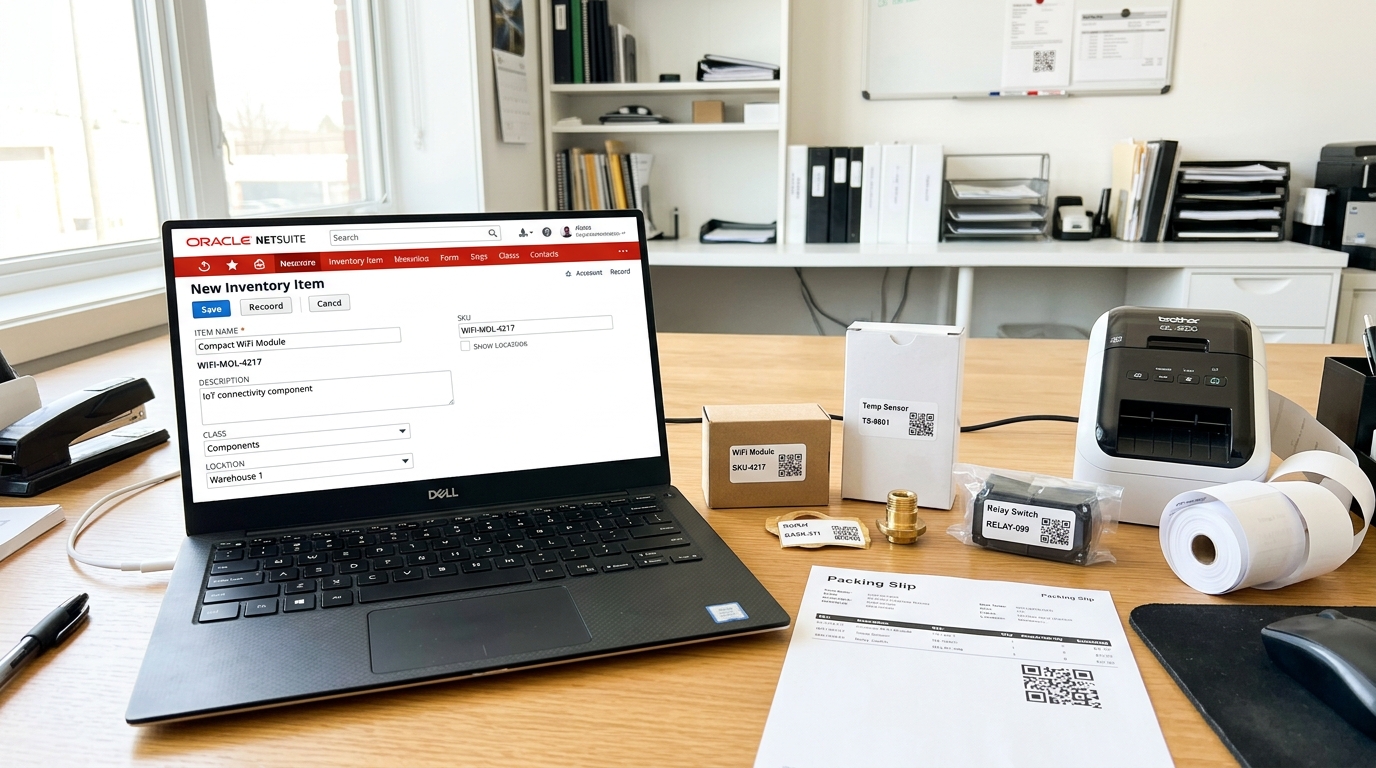
The single highest-value integration point is generating a QR code automatically when a new inventory item is created or saved. Below is the pattern as a User Event script.
/**
 * @NApiVersion 2.1
 * @NScriptType UserEventScript
 */
define(['N/https', 'N/record', 'N/url'], (https, record, url) => {

    const afterSubmit = (context) => {
        if (context.type !== context.UserEventType.CREATE &&
            context.type !== context.UserEventType.EDIT) return;

        const item = context.newRecord;
        const itemId = item.id;
        const sku = item.getValue({ fieldId: 'itemid' });

        // Build the destination URL — the QR code will resolve to this NetSuite
        // item record (or a customer-facing landing page, depending on use case).
        const destination = url.resolveDomain({
            hostType: url.HostType.APPLICATION
        }) + `/app/common/item/item.nl?id=${itemId}`;

        const response = https.post({
            url: 'https://qrchameleon.com/api/v1/qr/bulk',
            headers: {
                'Authorization': 'Bearer YOUR_API_TOKEN',
                'Content-Type': 'application/json'
            },
            body: JSON.stringify({
                qr_codes: [
                    { destination_url: destination, name: sku }
                ]
            })
        });

        const result = JSON.parse(response.body);
        const created = result.data[0];

        // Persist the short link in a custom field on the item record.
        record.submitFields({
            type: record.Type.INVENTORY_ITEM,
            id: itemId,
            values: { custitem_qr_short_link: created.short_url }
        });
    };

    return { afterSubmit };
});
The script deploys as a User Event on the Inventory Item record (and you typically duplicate the deployment for Assembly Item, Kit Item, and Service Item types). The custom field `custitem_qr_short_link` stores the short link for downstream use — printing on labels, embedding in customer-facing pages, or surfacing in Saved Searches that need a clickable destination.
Governance units to budget: one `https.post` call uses 10 units, the `record.submitFields` uses 10 units, and miscellaneous record context access runs another 10-20 units. A single item save burns roughly 30-40 units against the 1,000-unit User Event budget. The script comfortably handles the standard case without governance pressure.
Sales Order and Item Fulfillment: Chain-of-Custody QR Code
For Sales Order and Item Fulfillment records, the QR code pattern shifts from identifying an item type to identifying a specific physical shipment. The QR code printed on the fulfillment packing slip resolves to the fulfillment record itself, which then loads in the operator’s phone with the open quantities, the picked quantities, and a button to mark the fulfillment as Shipped.
The script attaches to the Item Fulfillment record on the Pending Fulfillment to Packed transition. The destination URL points to a customer-facing tracking page that pulls live status from NetSuite via a public Suitelet or REST API endpoint, and the same QR code also resolves to the internal NetSuite record for warehouse staff with appropriate role permissions. Identical QR code, different destinations based on the scanner’s authenticated session.
The chain-of-custody value is in the scan log. Every scan of the fulfillment QR code (at pack, at shipping dock pickup, at carrier handoff, at customer receiving) creates a Custom Record entry in NetSuite tied back to the source Item Fulfillment. Disputes about when a shipment left the dock or when the customer signed for it fall away because the per-scan timestamp and location data are stored in the system of record.
Webhook Subscription: Scan Events Back Into NetSuite
This is the part that closes the loop. Every time someone scans a QR Chameleon link, the platform fires a webhook to a URL you configure. For NetSuite integration, that URL is a RESTlet you deploy in your account.
/**
 * @NApiVersion 2.1
 * @NScriptType Restlet
 */
define(['N/record'], (record) => {

    const post = (requestBody) => {
        // Validate signature and timestamp first (omitted for brevity)
        // ...

        const scanRecord = record.create({
            type: 'customrecord_qr_scan_event',
            isDynamic: true
        });

        scanRecord.setValue({ fieldId: 'custrecord_scan_item_id', value: requestBody.item_id });
        scanRecord.setValue({ fieldId: 'custrecord_scan_short_url', value: requestBody.short_url });
        scanRecord.setValue({ fieldId: 'custrecord_scan_timestamp', value: new Date(requestBody.timestamp) });
        scanRecord.setValue({ fieldId: 'custrecord_scan_ip', value: requestBody.scanner_ip });
        scanRecord.setValue({ fieldId: 'custrecord_scan_country', value: requestBody.geo_country });
        scanRecord.setValue({ fieldId: 'custrecord_scan_device', value: requestBody.user_agent });

        const recordId = scanRecord.save();

        return { success: true, internal_record_id: recordId };
    };

    return { post };
});
You then configure the QR Chameleon webhook endpoint URL in the QR Chameleon dashboard to point at this RESTlet’s external URL (NetSuite provides one when you deploy a RESTlet with external access enabled). The webhook fires every scan, the RESTlet logs the event to a custom record, and standard NetSuite Saved Searches can now query, alert, and report on real-world scan activity.
Common Custom Record patterns built on top of scan events:
- Fulfillment confirmation reports (how many scans on each shipment between pack and customer receipt)
- Asset audit reports (when was each tagged asset last scanned, by whom)
- Recall trigger workflows (a scan on a flagged lot fires a Saved Search-based notification to the responsible role)
Generate NetSuite-Ready QR Codes via API
REST API returns SVG or PNG plus the short URL ready to drop into your SuiteScript custom field. SuiteScript example available in the docs.
Get an API TokenSaved Search and Workflow Automation Patterns
With the basic generation and scan-logging in place, the automation layer is standard NetSuite work. Three saved-search patterns recur in production deployments.
Missing QR Codes Search
A saved search on Item with the filter `Custom Field — QR Short Link — Is Empty` identifies items missing QR codes. Schedule a Scheduled Script to run hourly that pulls the results of this search and calls the same generation logic from the User Event script. This catches items that were created through CSV import, web services, or any path that bypassed the User Event trigger.
Scan Activity Saved Search
A saved search on the custom scan event record, joined back to the related item, sales order, or fulfillment record, surfaces scan activity in real time. This is the foundation for dashboards, KPI widgets on the role center page, and automated alert emails when scan volume drops below expected thresholds (a warehouse went dark, a label batch printed incorrectly, etc.).
Unprinted Labels Search
A saved search that filters items where the QR code short link exists but a `Last Label Printed` date field is empty or older than a threshold. Schedule a script to email the warehouse manager every morning with the list of items that need labels printed. Pair with a bulk label-export Suitelet or Saved Search results action that calls the QR Chameleon API to fetch print-ready SVGs in a batch.
SuiteCloud Plus and High-Volume Considerations
NetSuite’s standard SuiteScript governance limits 1,000 units per script execution and constrains concurrent script execution. For mid-market deployments processing hundreds of inventory transactions per hour, the standard governance is enough. For high-volume environments (10,000+ fulfillments per day, or batch-generation campaigns where you need to tag thousands of existing items with QR codes in a single afternoon), the math changes.
SuiteCloud Plus is Oracle NetSuite’s add-on that raises governance limits and increases concurrent script execution allowances. Practical rule of thumb: if your QR code generation backfill needs to process more than 5,000 items in a single Scheduled Script window, or your real-time User Event scripts are queueing during peak fulfillment hours, the SuiteCloud Plus uplift pays for itself in scan-driven labor savings within a quarter.
For environments not yet on SuiteCloud Plus, the workaround is batching the work into smaller Scheduled Script windows that run more frequently (every 15 minutes instead of hourly), accepting that backfill of a large existing catalog will take a few days instead of an afternoon.
OneWorld and Subsidiary Considerations
OneWorld deployments add a wrinkle. Inventory items can be shared across subsidiaries, restricted to a single subsidiary, or have subsidiary-specific custom field values. The QR code generation script needs to handle three patterns.
Single-subsidiary items are the simplest case. The QR code destination resolves to the same record regardless of who scans, and the custom field for the short link is set once on the item record.
Subsidiary-restricted items require subsidiary context in the script logic so the right user with the right role sees the right item view when the QR code resolves to the NetSuite record.
Multi-subsidiary shared items present an architectural choice. Either one shared QR code resolves to a common landing page (and the page itself loads subsidiary-specific content based on the authenticated user), or each subsidiary gets its own QR code per item (more management overhead but cleaner per-subsidiary audit trails). The right answer depends on how the operations team thinks about the inventory: as one global catalog or as parallel subsidiary catalogs.
A 10-Step Implementation Checklist
For NetSuite admins or SuiteCloud developers planning the rollout, the work breaks down predictably.
- Provision the QR Chameleon API token at the Adapt plan tier or above (the pricing page covers the full plan matrix).
- Create the custom fields: `custitem_qr_short_link` (free-form text) on Inventory Item, Assembly Item, Kit Item, Service Item.
- Create the Custom Record type `customrecord_qr_scan_event` with the fields shown in the RESTlet code above.
- Deploy the User Event script on each item record type for real-time generation.
- Deploy the Scheduled Script for catch-up generation on the saved search of items missing QR codes.
- Deploy the RESTlet for inbound webhook scan events. Configure TBA credentials and capture the external URL.
- Configure the QR Chameleon webhook to fire scan events at the NetSuite RESTlet URL.
- Build the Item Fulfillment script for chain-of-custody QR code generation on the pending-to-packed transition.
- Build the saved searches and dashboards for missing labels, scan activity, and unprinted labels.
- Print and apply the first batch of labels. Roll out to one warehouse or one item category first. Iterate the destination pages server-side based on operator feedback before expanding.
The full bulk-CSV generation pattern, which is what most teams use for the initial backfill, is covered in our QR code asset tracking workflow guide. For physical label substrate and adhesive specifications appropriate for warehouse and manufacturing environments, see our QR code asset tags guide. For the broader equipment-tracking patterns that often pair with NetSuite Fixed Asset Management module deployments, our QR code equipment tracking guide covers the maintenance and calibration angle. And for how NetSuite’s own native barcoding works, which formats it uses, and where it stops, see our NetSuite barcode generator guide.
Frequently Asked Questions
How do I add barcodes to NetSuite?
Native NetSuite supports barcode print fields on standard transaction forms (item labels, packing slips, etc.) but does not include built-in QR code generation or scan-driven workflows. For QR codes, the integration path is a SuiteScript User Event script that calls an external QR code generation API (such as QR Chameleon) and stores the resulting short link in a custom field on the Item record. The QR code then prints on labels via standard NetSuite Advanced PDF/HTML templates.
Can NetSuite generate QR codes natively?
Not out of the box. NetSuite Advanced PDF/HTML templates can render barcodes (Code 128, Code 39, etc.) when paired with a barcode font and font-rendering setup. QR code generation requires either an external API call from SuiteScript or a third-party SuiteApp from the Oracle NetSuite SuiteApp Marketplace. The SuiteScript-plus-external-API path is significantly cheaper and more flexible than SuiteApp licensing for most mid-market deployments.
What is SuiteScript and how does it work with QR codes?
SuiteScript is Oracle NetSuite’s JavaScript-based platform for custom logic, automation, and integration. SuiteScript 2.1 is the current version. For QR code integration, the typical pattern is a User Event script that fires after-submit on an Item record, calls the QR code generation API via the `N/https` module, and stores the result in a custom field. Scheduled Scripts handle batch generation, and RESTlets handle inbound webhook events from the QR code platform back into NetSuite.
How do I integrate a QR code generator with NetSuite inventory items?
The integration has three pieces: a User Event script on the Item record for real-time generation on item create or edit, a Scheduled Script for catch-up on items that bypass the real-time trigger (CSV import, web services), and a RESTlet for inbound scan event webhooks. The QR Chameleon REST API handles the actual code generation; SuiteScript handles the NetSuite-side persistence and workflow integration.
Does NetSuite QR code integration require SuiteCloud Plus?
For mid-market deployments processing fewer than 5,000 inventory transactions per day, no. Standard SuiteScript governance is sufficient. For high-volume deployments (10,000+ daily transactions) or large initial backfill campaigns (more than 5,000 items processed in a single script window), SuiteCloud Plus raises the governance limits and is typically the right move. The workaround for standard governance is breaking work into more frequent smaller Scheduled Script windows.
How does QR code scanning work with NetSuite item fulfillment?
The Item Fulfillment record gets a QR code generated on the Pending Fulfillment to Packed status transition. The QR code prints on the packing slip and resolves to the fulfillment record itself. When the operator scans during pack, shipping dock pickup, carrier handoff, or customer receiving, the QR Chameleon webhook fires to a NetSuite RESTlet which creates a Custom Record entry tied to the Item Fulfillment. The per-scan log establishes the chain of custody.
What is the best QR code generator for NetSuite?
The right choice depends on whether you need a SuiteApp (managed integration with NetSuite-native UI, but higher cost) or a REST API integration via SuiteScript (more flexible, dramatically cheaper, requires SuiteScript expertise). For mid-market organizations with internal SuiteCloud development resources or a partner agency, the REST API approach is typically the right call. QR Chameleon’s API is built for this pattern with predictable per-request pricing, no per-scan license cost, webhook support for inbound scan events, and bulk CSV generation up to 3,000 items per upload on the Transform plan.

Every NetSuite item, scannable in seconds.
SuiteScript-friendly REST API, bulk CSV generation up to 3,000 items per upload, webhook delivery to your RESTlets on every scan.
See Plans and PricingWhether you are integrating QR codes into a single-subsidiary NetSuite deployment or rolling out chain-of-custody scanning across a OneWorld multi-subsidiary operation, QR Chameleon bundles the REST API, bulk CSV generation, scan webhook delivery, and SuiteScript-friendly response formats on every plan starting free.