


The tag you applied to the conference room projector in March is gone. The adhesive let go three weeks after a custodian cleaned the case with isopropyl alcohol. The printer ran the labels on plain paper because that’s what was in the printer that day, and nobody checked the spec.
This is how QR asset tracking quietly fails. The QR code generation is correct. The destination URL works. The asset list is set up. The labels just don’t survive the environment they were applied to. Six months in, you have a database of assets without physical anchors, which is to say you have a spreadsheet that nobody can verify against the building.
The physical tag is half the system. It deserves the same engineering attention as the QR code itself. This guide is what I tell customers when they ask which material to use, what size to print, how to attach the tag, and how to order at scale without surprises. I’ve seen deployments survive ten years on the right substrate and fail in ten months on the wrong one.
Last updated: June 23, 2026
TL;DR
- The physical tag is half the system: substrate, adhesive, and size decisions determine whether the QR code program survives its first six months in production.
- Default to polyester laminate at 1-2 inches for most B2B asset tracking (around $0.05-$0.20 per label, handles -40°F to 200°F, UV, and abrasion); step up to anodized aluminum for permanent industrial assets.
- Match the adhesive to the surface BEFORE specifying labels: acrylic for powder-coated steel, rubber-based for raw plastic, UV-stable vinyl for outdoor, rivets for industrial.
- For volumes over 10,000 tags, integrate the QR code generation directly into your label-design pipeline (BarTender, NiceLabel, Loftware, ZebraDesigner) via API; for smaller runs, print in-house on a thermal label printer.
Key Numbers
- $0.01-$0.03 per label — standard thermal paper (indoor, short-lifecycle)
- $0.05-$0.20 per label — polyester laminate, the B2B workhorse (Avery Dennison)
- $0.50-$5 per tag — anodized aluminum for permanent industrial assets
- -40°F to 200°F — typical operating range of polyester laminate labels
- 12 / 24 / 60 inches — reliable read distance at 1-inch / 2-inch / 4-inch QR sizes
Why the Physical Tag Matters More Than the QR Pattern
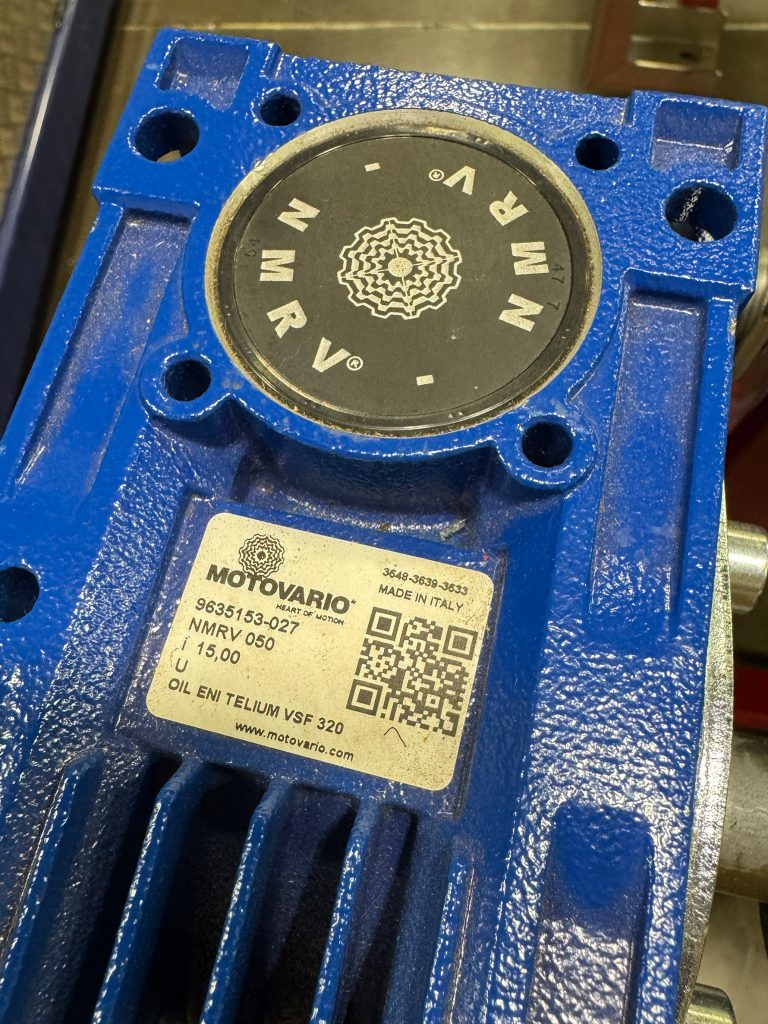
The QR pattern is a known quantity. Generated correctly, it will scan reliably for the life of the asset. What varies enormously is the tag the QR is printed on, the surface it’s attached to, and the environment it lives in. In practice, three failure modes show up over and over.
Substrate Failure
The label material delaminates, fades, or disintegrates. For example, paper labels in a warehouse last about 90 days before forklift exhaust, hand traffic, and ambient humidity render them unscannable. Likewise, cheap polyester labels in direct sunlight fade in six months. Ultimately, the wrong substrate is the single most common reason an asset tracking program loses its physical anchors.
Adhesive Failure
The label stays intact but the tag itself falls off. Acrylic adhesives release at low temperatures. In contrast, rubber-based adhesives bleed in heat. Meanwhile, manufacturer-applied permanent adhesives meant for cardboard fail spectacularly on powder-coated steel. The mismatch between adhesive chemistry and surface energy is where most “lost tags” originate. 3M’s industrial adhesive selection guide walks through the surface-energy matching that the major label converters use behind the scenes.
Scan Failure
The label is intact, attached, and unfaded, but the QR no longer scans. For instance, contrast dropped because the label was overlaminated. In other cases, the code shrank below the resolution the camera can resolve at the typical scan distance. A reflection off a high-gloss laminate makes the pattern unreadable under fluorescent lighting. Every one of these is fixable by spec, but only if you know to spec for it.
Tag Materials and What Each Survives
In practice, six material families cover almost every asset tracking deployment. The material decision should be made per asset category, not for the whole program.
Paper Labels
Standard thermal-printed paper labels. Cheapest option, ~$0.01-0.03 per label in bulk. Survives clean indoor environments: offices, classrooms, retail back rooms, libraries. However, paper will not survive moisture, abrasion, solvents, UV, or temperature swings. Appropriate for short-lifecycle assets (loaner devices, event equipment, temporary IT deployments) and never for permanent industrial use.
Polyester Laminate (Synthetic)
A polyester or polypropylene face stock with an overlaminate. The workhorse of the asset tracking world. Survives moderate temperatures (-40°F to 200°F typical), light chemical exposure, abrasion, and UV per the material data published by major label manufacturers like Avery Dennison. Costs ~$0.05-0.20 per label depending on format and quantity. Appropriate for warehouses, light manufacturing, IT equipment, fleet vehicles, lab benches, and any indoor industrial setting. This is the default for most B2B asset tracking programs.
Vinyl
Heavier than polyester, with stronger adhesives. As a result, vinyl is better for outdoor applications, weather exposure, and surfaces that flex. However, it costs slightly more than polyester. Specialty applications: outdoor fleet equipment, signage that rotates, surfaces with thermal cycling.
Anodized Aluminum
A printed or etched aluminum plate, typically attached with adhesive or mechanical fasteners. Survives almost any industrial environment: heavy chemicals, high temperatures, mechanical impact, weather, and solvents. Typically, anodized aluminum costs $0.50-$5 per tag depending on size and quantity. Appropriate for permanent industrial assets: CNC machines, generators, HVAC equipment, electrical panels, fleet vehicles in harsh environments. For the maintenance and compliance workflow specific to industrial equipment tracking, see our equipment tracking guide.
Stainless Steel
Etched or laser-marked stainless plates. The premium option for environments that destroy aluminum: marine, food-processing wash-down, chemical-exposure, autoclave-cycle equipment. Costs $2-$10+ per tag. Used where the asset is expected to outlast the company’s procurement cycles.
Tamper-Evident and Specialty
Destructible vinyl that breaks when removed (security-sensitive assets). Heat-resistant ceramics for furnaces and ovens. Cryogenic labels for cold storage. Chemical-resistant labels for lab environments. Although these are niche, they are critical when the asset’s environment is hostile to any standard label.
Reference: The Tag Material Decision Tree (paper, polyester laminate, vinyl, anodized aluminum, stainless steel, tamper-evident/specialty) — © QR Chameleon. Cite as: “Tag Material Decision Tree” (QR Chameleon, 2026).
QR Code Sizing and Scan Distance
The label material is half the spec. The QR’s physical size and placement is the other half. Three patterns repeat.
Handheld Asset Scanning
For assets that get scanned at arm’s length (desktop equipment, lab instruments, IT devices), a 1-inch to 1.5-inch QR is sufficient. Specifically, it reads reliably at 8-18 inches with any modern smartphone camera. Generally, this is the size most asset tracking deployments default to and works for the majority of categories.
Standing Distance
For assets scanned at standing distance (industrial machinery, equipment racks, server cabinets), step up to a 2-inch QR. As a result, reliable read range extends to about 30 inches. Typically, most operations technicians prefer this size for shop-floor work because it removes the need to crouch or lean close.
Forklift and Aisle Scanning
For warehouse-rack assets read from a forklift seat or from an aisle, a 3-inch to 4-inch QR is the right call. The read range pushes to 60 inches and beyond. The tradeoff is the larger label takes more print real estate and costs slightly more per unit, but the time saved per scan more than compensates.
Error Correction Level
Most QR generators default to error correction level M (15% damage tolerance). However, for asset tags that live in dirty environments where a coffee splash or a forklift scrape could damage the code, bump to level H (30% tolerance). The code is denser at level H, so you may need to size up to compensate. Most QR generators expose this setting; verify your printing pipeline preserves it.
Generate Asset Tag QR Codes in Bulk
Upload your asset list as CSV. Get back SVGs ready to drop into BarTender, NiceLabel, or your label vendor’s design template.
Try It FreeHow to Attach the Tag
The attachment method matters as much as the substrate. Five attachment patterns cover most situations.
Pressure-Sensitive Adhesive
The default for paper, polyester, and vinyl. Spec the adhesive to the surface: acrylic for smooth high-energy surfaces (powder coat, glass, glossy plastic), rubber-based for lower-energy surfaces (raw plastic, painted metal). First, clean the surface with isopropyl alcohol before applying. Then allow 24-72 hours for full adhesion strength.
Rivets
For anodized aluminum or stainless tags on permanent industrial assets. Holes pre-punched in the tag, blind rivets through both the tag and the asset enclosure. Survives almost anything. Removal requires drilling out the rivet, which is the point.
Screws
A more removable alternative to rivets. Specifically, useful when the asset gets serviced and the tag needs to come off occasionally. Additionally, use thread-locking compound for vibration environments.
Hanging Tags
A polyester or aluminum tag with a hole, hung on equipment with a stainless cable, plastic zip tie, or brass chain. The right call for equipment that doesn’t have a flat surface for adhesive: irregularly shaped tooling, hand tools, portable instruments. Easy to inspect; easy to lose if the chain fails.
Embedded or Engraved
Direct laser-marking on the asset itself, or QR codes machined into the housing. The most permanent option, used for high-value assets where the tag is part of the manufacturing process. Requires asset-specific tooling but eliminates any possibility of tag loss.
What Else Belongs on the Tag
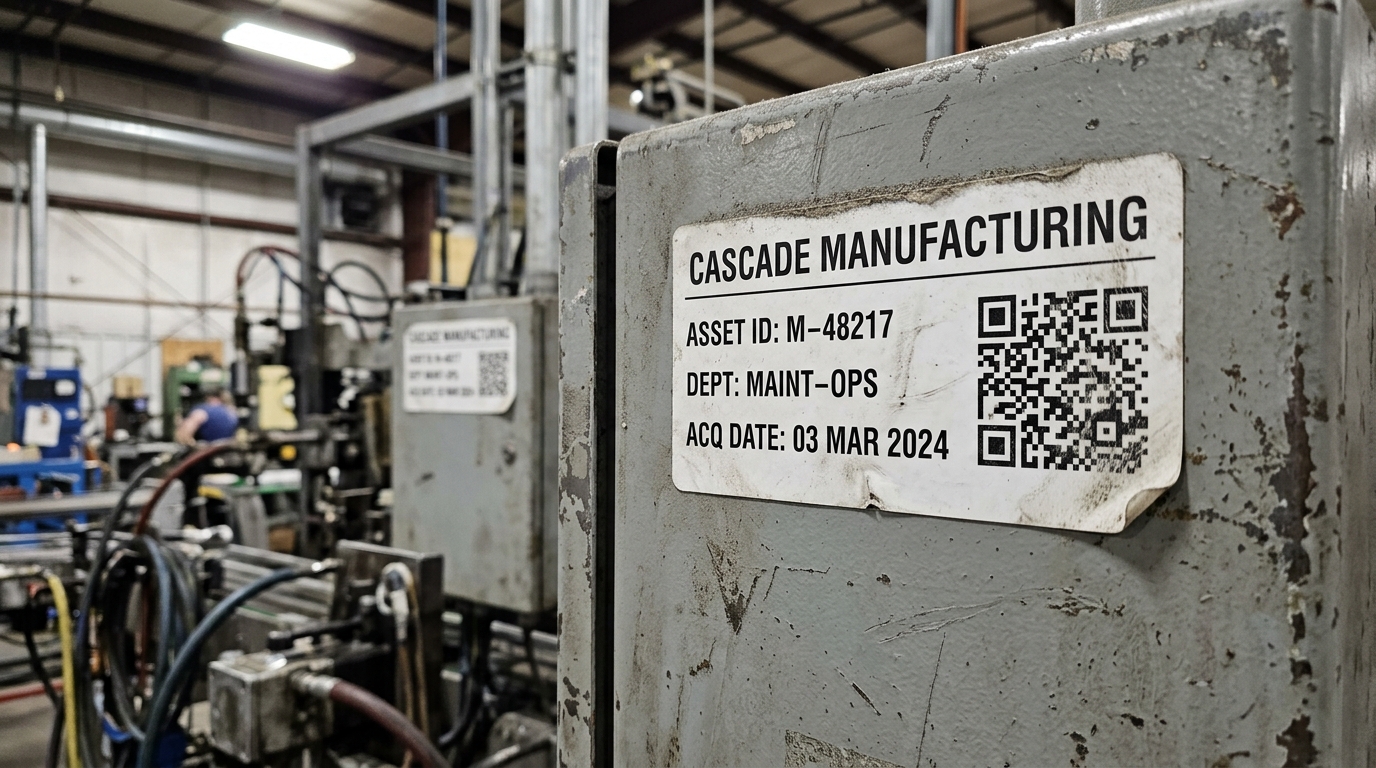
The QR is the active part of the tag. Meanwhile, the rest of the label carries the human-readable backup. Specifically, five fields should typically appear alongside the QR.
Asset ID
The unique identifier that ties the tag back to your asset list. Typically, print it human-readable next to the QR. Importantly, when the QR fails to scan (the label gets damaged), the asset ID is the recovery key.
Department or Owner Code
Which team is responsible for the asset. Useful for visual sorting during audits and for routing service calls.
Acquisition or Tag Date
When the asset was added to the list, or when the tag was applied. Helps spot tags that are aging out and need replacement before they fail.
Company Logo or Branding
For assets that travel (laptops, fleet vehicles, conference equipment), a recognizable brand mark on the tag makes recovery more likely if the asset is lost or stolen.
A 1D Barcode (Optional)
Some legacy scanners and inventory tools still expect a Code 128 or Code 39 barcode. Therefore, printing both the QR and a small 1D barcode on the same tag costs nothing and bridges the systems.
Ordering Strategies for Different Volumes
How you produce the tags depends on the volume and the substrate.
Small Runs (Under 500 Tags)
Print in-house on a thermal label printer. Specifically, a desktop Brother or Zebra unit produces polyester labels well enough for office and IT use. The QR codes come from your QR platform via SVG export, dropped into a label-design template, and printed on demand. Typically, per-label cost is about $0.05 once you have the printer.
Mid Volume (500 to 10,000 Tags)
Order pre-printed tags from a label vendor. Send the vendor a CSV of asset IDs and SVG QR files (one per asset). They print on the substrate and adhesive you spec. Common vendors include Camcode, MetalCraft, ASG Services, and BarcodeFactory. Per-label cost drops to $0.05-$0.30 depending on substrate.
High Volume (10,000+ Tags)
Integrate the QR generation directly into your label-design pipeline via API. Tools like BarTender, NiceLabel, Loftware, or ZebraDesigner can call our QR generator at print time, drop the SVG into the label template, and run the production print in one pass. This is the right pattern for organizations adding hundreds or thousands of assets per month without batch coordination overhead.
Industrial Substrates (Metal, Specialty)
Anodized aluminum and stainless tags are ordered from specialized vendors with longer lead times (1-3 weeks). The QR code pattern is etched or printed during production. Common vendors: MetalCraft Industrial, ASG Services, Camcode, Tasco. Per-tag cost runs $0.50-$5 for aluminum, $2-$10+ for stainless.
Five Tag-Spec Mistakes That Tank Deployments
I’ve watched the same handful of mistakes cost operations teams entire deployment cycles. All five are preventable.
Spec’ing for the Wrong Surface
The label was rated for smooth glass; you applied it to powder-coated steel. Similarly, the label was for warehouse use; you applied it to outdoor signage. Instead, match the substrate and adhesive to the actual surface and environment, not to the procurement category that sounded close.
Skipping the Overlaminate
A bare thermal-printed label is exposed to abrasion. Overlaminate adds about $0.02 to the unit cost and roughly doubles the field life. For any tag that gets touched in normal operations, the overlaminate is non-negotiable.
Printing the QR Too Small
A 0.5-inch QR scans poorly at any meaningful distance. The cost difference between a 0.5-inch and a 1.5-inch label is pennies; the difference in scan reliability is enormous. Default to 1-inch minimum for desk-level scanning and 2-inch for shop-floor work.
Not Setting Error Correction Level
Default level M is fine for clean office environments. However, for warehouses, manufacturing floors, and any environment where the label will accumulate dirt or damage, set error correction to level H. The denser code more than compensates for the lost capacity.
Treating the Tag as a One-Time Decision
The right tag spec for a brand-new asset may be wrong for that asset five years in (relocated outdoors, repurposed for a different department, exposed to new chemicals). Build a re-tagging cadence into the program. With dynamic QR codes the destination URL stays the same; only the physical tag gets refreshed. The full benefit of dynamic codes is covered in our static vs dynamic QR codes guide.
Putting Tag Specs Into Your Tracking Program
The right tag spec is one input into a working asset tracking program. The workflow that ties tagging into custody transfers, maintenance logs, and audits is covered in our QR code asset tracking workflow guide, and the broader picture across inventory, asset management, and operational visibility lives in the QR code inventory management pillar.
For procurement teams sizing a deployment, the question is rarely about the QR itself. It’s about whether the platform handles the volume, integrates with your label-design pipeline, and produces files in formats your vendor accepts. The QR Chameleon API returns QR codes as SVG that drop directly into BarTender, NiceLabel, Loftware, ZebraDesigner, and the major thermal printer pipelines. For the platform side of the deployment, from bulk generation to scan analytics, see our QR code asset tracking page.

From 50 asset tags to 50,000.
Bulk QR generation, custom branded domains, and a REST API that drops into your existing label-design pipeline.
See Plans and PricingFrequently Asked Questions
What’s the best material for a QR code asset tag?
Polyester laminate is the default for most B2B deployments. It survives moderate temperatures, light chemicals, abrasion, and UV at a per-label cost of about $0.05-$0.20. For permanent industrial assets exposed to heat, chemicals, or mechanical impact, anodized aluminum is the right step up at $0.50-$5 per tag. For office and short-lifecycle use, standard thermal paper at $0.01-$0.03 per label is sufficient.
What size should a QR code asset tag be?
A 1- to 1.5-inch QR scans reliably at arm’s length and is the default for most asset tracking. For shop-floor or rack-mounted equipment scanned at standing distance, step up to 2 inches. For shipping labels on pallets or assets read from a forklift seat, use 3 to 4 inches. The label around the QR adds another half-inch to inch for the asset ID, department code, and other human-readable fields.
How do I attach a QR code asset tag to equipment?
Pressure-sensitive adhesive is the default for paper, polyester, and vinyl tags. Clean the surface with isopropyl alcohol first and allow 24-72 hours for full adhesion. For anodized aluminum or stainless tags on permanent assets, use blind rivets or screws. For irregularly shaped tools or equipment without a flat adhesive surface, hang the tag on a stainless cable or zip tie through a punched hole.
Can I print my own QR code asset tags?
Yes, for small to mid-volume deployments. A desktop thermal label printer (Brother, Zebra, or similar) produces polyester labels with QR codes well enough for office and IT asset use. Generate the QR codes from your QR platform as SVG, drop them into a label-design template, and print on demand. For runs above a few thousand or for industrial substrates (aluminum, stainless), order from a specialized label vendor.
How much do QR code asset tags cost?
Paper tags run $0.01-$0.03 per label in bulk. Polyester laminate runs $0.05-$0.20. Vinyl runs $0.10-$0.30. Anodized aluminum runs $0.50-$5 per tag depending on size and quantity. Stainless steel runs $2-$10+. Beyond the tag cost itself, factor in the label printer (if in-house) at $200-$2,000 for a desktop unit, or the design and integration work for high-volume API-driven label printing.
Do QR code asset tags hold up outdoors?
Polyester laminate handles light outdoor exposure but will fade in direct UV over 12-24 months. For permanent outdoor assets, vinyl with UV-stable inks or anodized aluminum are the better choices. Both can survive 5-10+ years outdoors with the right adhesive or mechanical fastener. Match the tag spec to the actual environment: temperature range, UV intensity, chemical exposure, and physical contact.
What information should I put on an asset tag besides the QR code?
The QR is the active link to your asset list. The label around it should include the human-readable asset ID (recovery key when the QR fails), the department or owner code (audit sorting), the acquisition or tag date (re-tag scheduling), and your company branding (recovery if the asset is lost). For organizations bridging to legacy scanners, a small 1D barcode alongside the QR adds compatibility at no extra cost.