

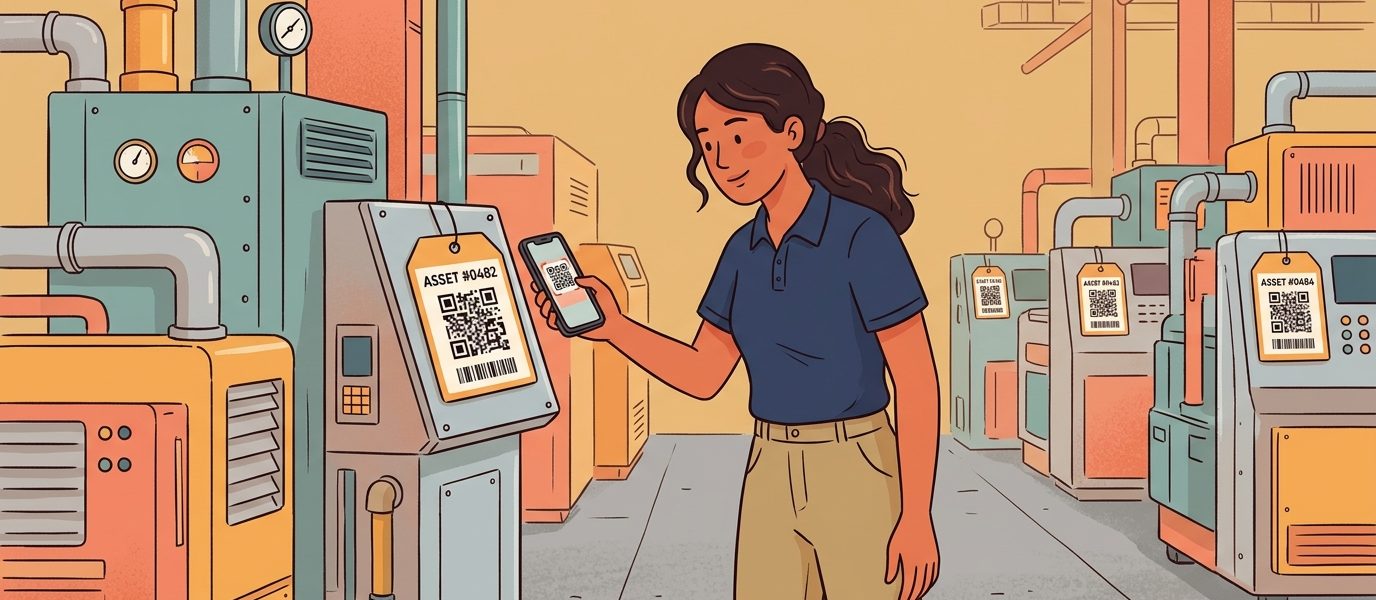
The asset list on your shared drive shows 1,247 items. The most recent audit found 1,098 in the building. Forty of the missing 149 left with employees who no longer work there. Twelve are in a storage room nobody’s opened in three years. The remaining 97 are in a column labeled “status: unknown.”
The mismatch is not unusual. Most asset lists drift away from physical reality the moment somebody stops looking. The work to keep them honest used to require a scanner cart, a barcode label printer, a database license, and a person whose entire job was reconciling the column. Most operations leaders quietly gave up on the project years ago.
QR code asset tracking is the version of that workflow that holds up because nothing about it depends on dedicated hardware or a single person remembering to update a spreadsheet. The asset gets tagged once. Every scan that follows updates the record automatically. The next audit closes in hours instead of weeks. I’ve watched mid-market operations teams cut their reconciliation time by 80% in the first quarter after deploying it, and I want to walk through how the workflow runs so you can decide whether it fits your environment.
Last updated: June 23, 2026
TL;DR
- Spreadsheet asset tracking strays within about 90 days; QR code-based tracking uses phones already in pockets and labels costing pennies to keep inventory updated automatically.
- The workflow runs across five lifecycle stages (acquisition, custody transfer, maintenance, audit, retirement), each tied to a scan event that updates the record in real time.
- Reconciliation that took two people a week now closes in an afternoon when every scan logs timestamp, location, and operator; the labor savings alone typically justify the platform cost.
- If your current asset inventory is more than 90 days out of date, start with the asset category where the spreadsheet pain is worst, usually field equipment, IT devices, or school district AV and classroom inventory.
Key Numbers
- $4B+ — global asset management software market, 2024 (MarketsandMarkets)
- $200-$2,000 per device — typical cost of barcode handheld scanners, eliminated by QR-on-phone workflows
- $0.05-$0.20 per label — typical per-tag cost for polyester laminate QR asset tags (Avery Dennison materials data)
- 90 seconds to 3 minutes per spreadsheet lookup vs ~1.5 seconds per QR scan — typical asset record retrieval time
- 100 / 3,000 / unlimited assets per bulk upload on QR Chameleon’s Adapt / Transform / Enterprise tiers
Why QR Code Asset Tracking Is Replacing Spreadsheets
The global asset management software market exceeded $4 billion in 2024 according to MarketsandMarkets research, and the fastest-growing segment is QR-based tracking layered on top of existing operations systems rather than wholesale platform replacements. The reason is straightforward: every employee already carries a scanner in their pocket, every printable surface can hold a 2-inch label, and the database that supports the tracking can sit anywhere from a Google Sheet to an enterprise CMMS.
The legacy options each have a real fit, and the comparison matters when you’re sizing a deployment.
Manual Spreadsheets and Their Half-Life
A spreadsheet asset list works for the first 90 days. After that, the entropy compounds. New assets get added but no one removes the retired ones. Custody transfers happen in conversation, not in the sheet. By month nine, the list is wrong in dozens of ways nobody can prove or disprove without walking the building.
Barcode Systems and Their Hardware Tax
1D barcode systems still ship and still work, particularly in environments with high-velocity dedicated scanning. The hardware tax is the issue. A barcode handheld scanner runs $200-$2,000 per device. The scanner needs to integrate with proprietary software, the software needs to integrate with the asset list, and the IT team needs to keep the firmware current. For an operations team of ten people who only need to scan a handful of assets per shift, the hardware-and-license overhead never pencils out.
RFID and Its Capital Threshold
RFID is the right tool when you’re reading hundreds of assets per minute without line of sight, like a manufacturing floor or a fast-moving distribution center. The capital threshold to deploy is real: passive tags run $0.10-$0.30 each, active tags exceed $5, and the reader infrastructure runs $800-$4,000 per portal. For organizations that don’t need no-line-of-sight reads, that capital sits idle.
The QR Advantage in Plain Terms
QR codes give you what barcode and RFID give you minus the capital. The label costs pennies. The scanner is the phone. The encoded payload is a URL, which means the data the technician sees on the scan can change without reprinting anything. That single property is what makes the lifecycle work.
The Asset Lifecycle You’re Tracking
Asset tracking is not one workflow. It’s five workflows tied to the lifecycle of each physical object. Each stage answers a different question, and the QR code that survives all five is the one designed to carry the data your operations team needs.
Acquisition and Initial Tagging
When a new asset arrives, somebody opens the box, photographs the serial number, and assigns an asset ID. With a QR code system, the assignment is a single bulk-generation step: upload a CSV of incoming asset IDs and you receive a unique QR back for each one, pre-encoded with the URL that will resolve to that asset’s record. The labels print, the labels apply, the asset is live in the list before it leaves the receiving dock.
Deployment and Custody Transfer
The asset moves from receiving to its operational location. A custody transfer used to require a paper sign-off, an email confirmation, or a manual list update. With a scannable QR, the receiver opens the asset’s page on the scan, taps a confirm button, and the custody record updates with their identity, the timestamp, and the location. Disputes about who has what fall away because the chain of custody is on the record.
Maintenance and Service History
Every preventive maintenance visit, every repair, every calibration. The technician scans the asset’s QR at the start of the work; the destination loads the full service history; the technician adds the new entry before leaving. The next person who scans the same asset sees that history. The asset’s record accumulates depth instead of going stale.
Audit and Compliance
When the auditor arrives, the asset list is queryable in real time. Every scan event for every asset is logged with timestamp, location, and scanner identity. For regulated industries, the per-scan log is admissible documentation that the asset was where the list claimed it was, when the list claimed it was there. Medical devices, government fleet vehicles, school district equipment, and lab instruments all benefit from the same audit trail.
Retirement and Disposal
The asset reaches end of life. The retirement scan removes it from active inventory, logs the disposal method, and timestamps the decommissioning. The QR code stays on the physical object if needed for waste-tracking documentation, but the destination now resolves to a retirement record rather than an active asset page. The list stays current automatically because retirement was a workflow step instead of a deletion that someone forgot to make.
Reference: The QR Asset Lifecycle Framework (acquisition, deployment, maintenance, audit, retirement) — © QR Chameleon. Cite as: “QR Asset Lifecycle Framework” (QR Chameleon, 2026).
What the Workflow Looks Like in Practice
The implementation breaks down into four operational steps. None require dedicated hardware. All four scale from a 50-asset deployment to a 50,000-asset deployment without changing the workflow.
Generate Unique Codes per Asset
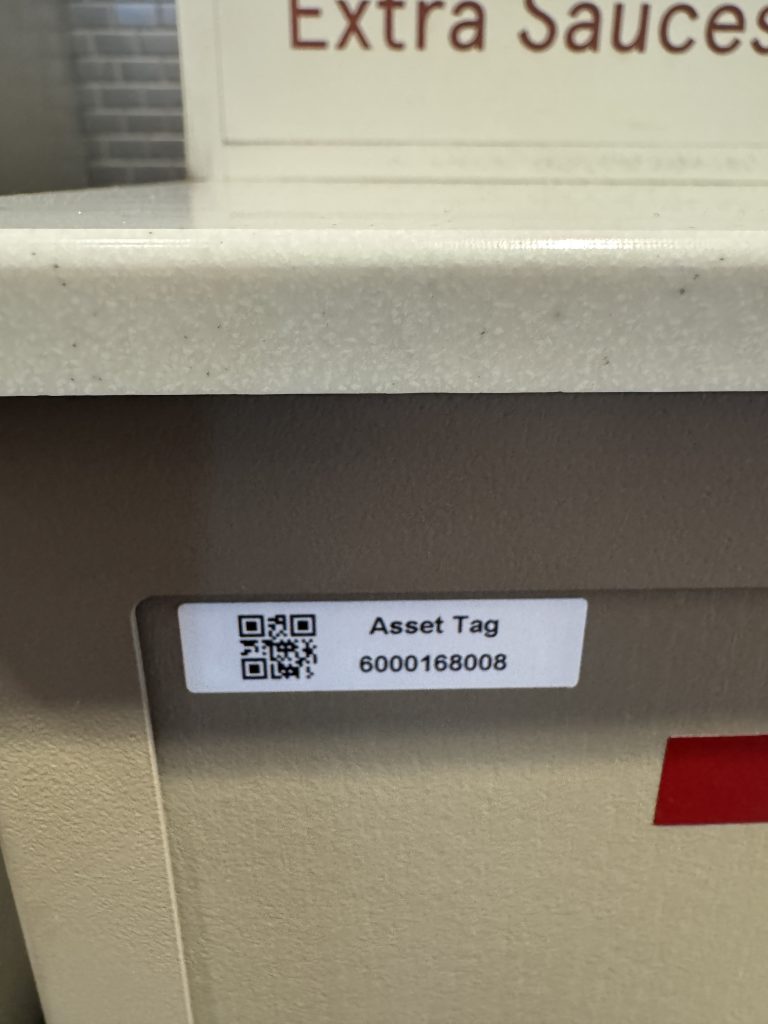
Every asset gets its own dynamic QR code. The QR encodes a short link that routes to the asset’s individual record. For small deployments, you can generate codes one at a time. For real operations work, bulk generation via CSV is the only viable path. Upload one row per asset, get back a downloadable archive of QR files plus a mapping back to your asset IDs. QR Chameleon supports up to 100 assets per upload on the Adapt plan, 3,000 per upload on Transform, and custom volumes on Enterprise arrangements.
Apply the Right Tag for the Environment
The label material decides whether the system survives its first six months. Paper labels work for office and classroom assets. Polyester laminate handles warehouse and outdoor conditions. Anodized aluminum or stainless steel tags survive industrial environments with high heat, solvents, or mechanical wear. For most asset tracking work, a 2-inch polyester laminate tag hits the sweet spot of cost, durability, and scan distance. The detailed specifications are covered in our QR code asset tags guide, the companion deep-dive to this post.
Scan to Read Live Asset Data
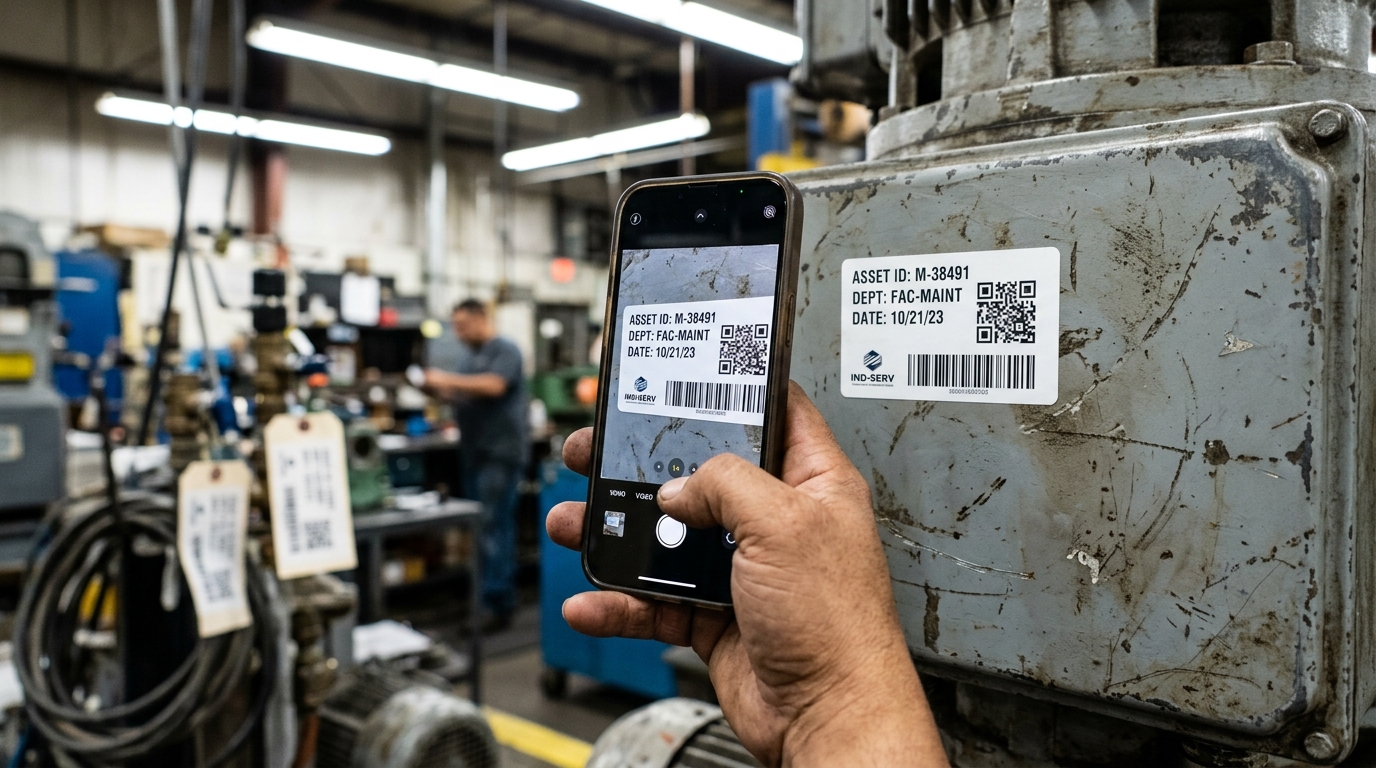
The technician opens their phone camera and points it at the QR. The destination loads in about a second and a half: the asset’s full record, action buttons for service history, custody updates, decommissioning. Because the destination is a URL, you control what loads: a service ticket form, a maintenance checklist, an embedded SOP video, or a calibration log. The same physical tag can resolve to different content for different team roles, different times of day, or different asset states.
Update Records Without Reprinting
This is the workflow’s most important property. Anything about the asset’s destination, its associated form, its parent category, its workflow rules can change server-side without reprinting the label. Department reorganizations, software migrations, CMMS replacements, and expanded data fields all used to trigger relabel cycles. With dynamic QR codes, the labels never move. The full comparison of static versus dynamic codes is in our static vs dynamic QR codes guide.
Generate Asset Tracking QR Codes in Bulk
Upload your asset list CSV and get back unique dynamic QR codes for each item,
ready for label printing.
The Business Case in Specific Line Items
Operations leaders evaluating any new system want the real number, not the marketing number. Here is where the savings show up in a QR asset tracking deployment.
Reconciliation Time
The asset audit that used to require two people walking the building for a week now closes in an afternoon. Each scan confirms presence, location, and condition. The reconciliation report writes itself from the scan log. For an organization audited annually, the labor savings alone justify the platform cost.
Ghost Inventory Reduction
Spreadsheets gradually disconnect from physical reality. QR scans create a passive feedback loop: every scan confirms the asset exists, where it is, and who interacted with it last. Records for assets that no longer exist shrink the longer the system runs. For organizations that had been over-ordering replacements because they couldn’t locate originals, the inventory savings are direct.
Maintenance Compliance
Preventive maintenance is the line item that quietly slips when nobody is tracking it. With QR-scan triggers, the maintenance window opens on a predictable schedule, the scan records compliance, and missed cycles surface in the dashboard rather than in a regulatory finding. Insurance premiums and warranty claims also benefit from the documented service history.
Loss Recovery
Assets that vanish from spreadsheets often resurface when scanned somewhere unexpected. The geographic log on every scan event can locate equipment that drifted to the wrong location, the wrong department, or the wrong building. For organizations with dispersed facilities, the recovery rate on “lost” assets in the first six months of deployment is often surprising.
Training Time for New Staff
A new technician’s first day used to involve memorizing the asset numbering scheme, the spreadsheet structure, and the lookup process. With QR-driven workflows, the first task is “scan the asset and follow the prompts.” Onboarding ramp drops measurably, and the consistency of every technician’s interaction with the system improves.
Where QR Asset Tracking Fits Across the Vertical
Operations is operations regardless of the industry, but the asset categories and the audit pressures differ. Three patterns repeat across the deployments I have helped customers think through.
Industrial and Manufacturing
The maintenance technician scans a QR plate on a CNC machine. The destination loads the last three service tickets, the current preventive maintenance schedule, and the calibration window. The QR plate is anodized aluminum, riveted to the cabinet, sized at 2 inches for handheld scanning. Multiplied across 240 machines and a dozen technicians, the saved lookup time alone justifies the deployment. The maintenance, calibration, and compliance workflow specific to industrial equipment tracking is covered in our equipment tracking guide.
Healthcare and Lab Environments
A clinical engineer scans the QR sticker on an IV pump. The destination shows the last calibration date, the technician who signed off, the recall status against the manufacturer’s notice. According to the ECRI Institute annual hazards reports, medical device tracking errors are a persistent source of patient safety incidents. The per-scan audit trail collapses that risk substantially.
Education Districts and Higher Ed
A district IT lead works through a cart of returned Chromebooks at year-end. Each scan records the device, the timestamp, the operator, and updates the asset record to “returned.” What used to be a multi-day project finishes in an afternoon. The data is also queryable for the next year’s procurement: which models had the most service tickets, which buildings had the highest loss rate, which assets are due for refresh.
Setting Up Your Asset Tracking Program
If you’re sizing this for a deployment, here’s how the work unfolds.
Pick the Asset Category to Start With
Don’t try to tag everything at once. Pick the single category where the spreadsheet pain is worst right now. For most teams that’s either field equipment, IT assets, or specialized instruments. Get the first category solid, then expand.
Build the Asset Record Before You Generate Codes
The QR code is the easy part. The hard part is deciding what scanning an asset should load. Sketch the destination page for one asset category: what fields appear, what actions are possible, what integrations the page needs to fire. Then build that page once on whatever your team already uses. The destination just needs to be a URL.
Bulk Generate Through the API or CSV Upload
Export your asset list, push it through the QR platform, and receive the codes back. For teams handling continuous asset intake, the QR Chameleon API handles programmatic generation and webhook events on scan, which lets you wire scan-triggered actions into your existing ticketing and asset management systems.
Print, Apply, and Run the First 30 Days
Use the material appropriate for the environment. Roll out to one team. Find the workflow friction early when you have 50 assets in the system, not when you have 5,000. The first version of your destination page will be wrong in small ways. Iterate it server-side. The labels never move.
Where Asset Tracking Sits in the Larger Operations Picture
The asset list is one part of a broader operational visibility story. The same QR-scan workflow that tracks individual assets also feeds inventory counts, maintenance compliance, custody chains, and audit trails. For the full picture of how this all fits, our QR code inventory management guide covers the pillar workflow, and the QR code statistics for 2026 provide the broader data on where scan-driven operations are heading.
The procurement question is no longer whether to deploy QR-based tracking. The question is which platform handles your specific scale, integrates with your existing label and ERP stack, and gives your IT and security teams what they need to sign off. Our asset tracking with QR codes page covers how QR Chameleon answers each of those questions.

Audit-ready in an afternoon.
Every scan logs the asset, timestamp, location, and operator. Your asset list stays current automatically.
See Plans and PricingFrequently Asked Questions
How does QR code asset tracking work?
You generate a unique dynamic QR code for each asset and apply it as a label. Every time the asset is interacted with (received, deployed, serviced, audited, retired) a team member scans the QR with a phone camera. The scan opens the asset’s record where the action can be logged. Because the QR encodes a short link rather than the data directly, the destination can be updated server-side at any time without reprinting the label.
Are QR codes good for asset tracking?
Yes, particularly for mid-market deployments. QR codes carry more data than 1D barcodes, survive partial damage thanks to built-in error correction, and use the smartphone every employee already owns instead of requiring dedicated scanners. For deployments above tens of thousands of assets that require no-line-of-sight reads, RFID still has a role. For most operational asset tracking, QR is the default.
What’s the difference between asset tracking and inventory management?
Asset tracking focuses on individual physical items that are owned and used over time (equipment, machinery, vehicles, IT devices). Inventory management focuses on stock-keeping units that flow through receipt, storage, and shipment (raw materials, finished goods, retail product). The same QR scan workflow underlies both, but the data model and the lifecycle differ. Our companion inventory management guide covers the stock-flow side of the equation.
How do I set up a QR code asset tracking system?
Pick the asset category with the most spreadsheet pain. Build the destination page that should load when an asset is scanned. Export your asset list to a CSV. Bulk-generate the QR codes through your QR platform. Print the labels using polyester laminate or aluminum based on the environment. Roll out to one team, iterate the destination page based on workflow feedback, then expand to additional asset categories.
Can QR codes track maintenance history?
Yes. The QR code’s destination is a URL, which means the asset’s record can include the full maintenance log, the calibration history, the next scheduled service date, and a form to add new entries. Each scan accumulates more data automatically. Many teams integrate the destination with their existing CMMS or maintenance management system rather than building a new one.
What size QR code should I use for asset tags?
A 1- to 2-inch QR code scans reliably from arm’s length, which fits most handheld asset tracking. For assets that get scanned from further away (shipping labels on pallets read from a forklift, fleet vehicles read from approach), 3-inch or larger codes give the read distance. Full specifications for label material, sizing, and durability are in our QR code asset tags guide at /blog/qr-code-asset-tags/.
Is QR code asset tracking better than RFID?
It depends on the throughput. For environments that need to read hundreds of tags per minute without line of sight (high-velocity distribution, automated checkout), RFID has the technical edge and remains the right tool. For environments where each scan is intentional and tied to a specific operational step (maintenance, audit, custody transfer), QR is dramatically cheaper to deploy, easier to maintain, and uses hardware your team already owns.