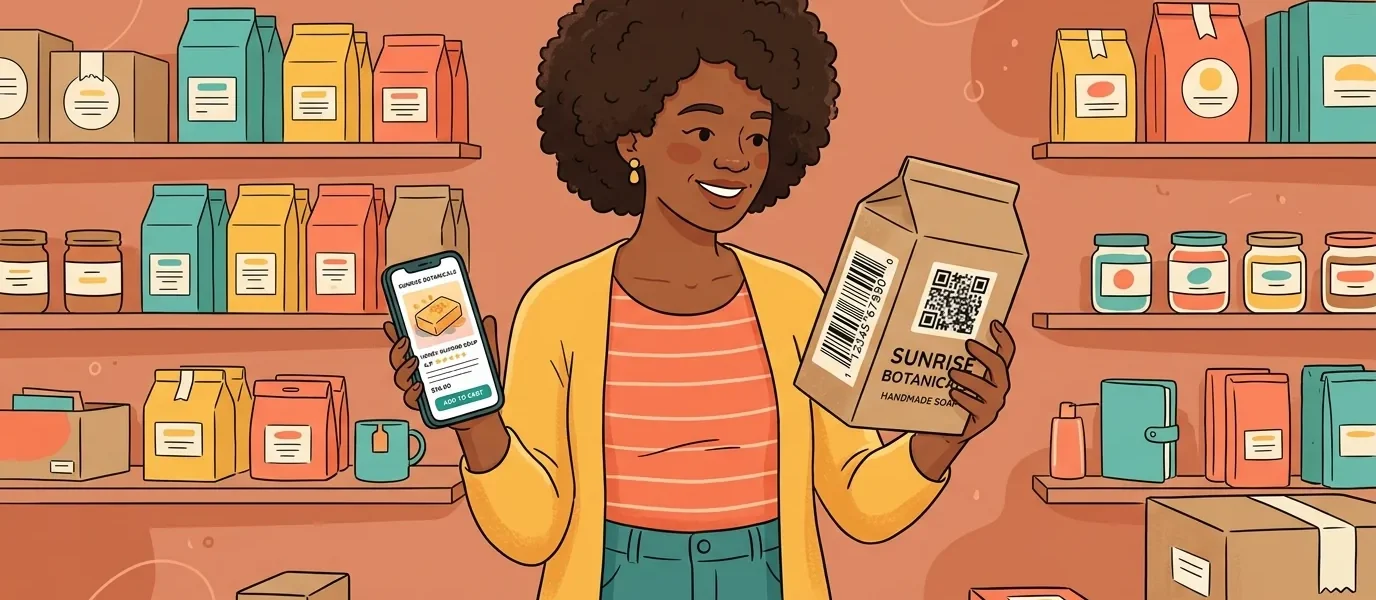
If you’re weighing whether to put a GS1 Digital Link QR code on your packaging, here’s the plain version: what it is, what it does for you, and what it doesn’t. In short, GS1 Digital Link is how your product’s existing barcode number becomes a QR code that a phone and a scanner can both read. You add one next to the barcode you already print, and the same small square can open a product page, a how-to video, or a recall notice, tell you who’s scanning and where, and get your packaging ready for retail’s move to 2D barcodes. You keep your barcode. Here’s how it works.
What is GS1 Digital Link?
GS1 Digital Link is a standard from GS1, the people behind the barcode, that turns your product’s GTIN into a web address. Your GTIN is the number already encoded in the barcode on your pack. GS1 Digital Link expresses it as a URL, so a phone, a browser, and a retailer’s systems can all read it, not just a checkout scanner.
The address follows a set pattern built around your GTIN. In its simplest form it looks like this:
https://example.com/01/09506000134352The 01 in that address is GS1’s identifier for a GTIN, and the number after it is your GTIN. A system that knows GS1 Digital Link reads that and knows exactly which product it is, the same way it reads a barcode. A shopper’s phone just sees a web link and opens a page. One number, working as both your product code and a web address.
Why not just use a normal QR code?
You can, and plenty of brands do. But a normal QR code only stores one fixed link. A GS1 Digital Link QR code stores your product’s identity and lets a resolver decide where each scan goes, and that gets you two things a plain QR code can’t.
First, the QR code means something. It carries your GTIN, so it isn’t just a link, it’s machine-readable product identity. A retailer’s system, a marketplace, or a recycling app can all read the same product number from it.
Second, one QR code does two jobs. A 2D-capable scanner reads your GTIN from it the way it reads a barcode. A shopper’s phone resolves it to whatever web destination you choose, which you can change at any time. So you get everything a dynamic QR code already does, plus it speaks GS1’s language. It’s a superset of a normal QR code, not a sidekick to it.
Do I need a GTIN, and do you provide one?
You bring your own GTIN. We don’t issue them, and no QR code tool does. GTINs come from GS1, which you license for your products. If you already sell at retail, you almost certainly already have them.
You hand us the GTIN you own, and we build the GS1 Digital Link QR code and the resolver around it. Your GTIN also checks itself: the last digit is calculated from the others, so a typo usually makes an invalid number. We validate that check digit before we create anything, so you don’t print a bad one.
What’s a resolver, and why does it matter?
The resolver is the piece that makes a GS1 Digital Link QR code work. When someone scans your QR code, their request hits the resolver, which looks up your GTIN and sends them to the right place: a web page for a shopper, or structured data for a machine.
This is the part that’s easy to underestimate. Printing the QR code is the simple half. The resolver has to:
- be online for every scan, anywhere in the world
- send the right audience to the right place (a browser gets a redirect; a machine asking for data gets a structured linkset)
- let you change those destinations without touching the printed QR code
- follow the GS1 standard closely enough that GS1-aware systems trust it
That’s real infrastructure, and it’s the half we run for you.
Is your resolver GS1-conformant?
Yes, and that’s a claim you can check. GS1 publishes an official conformance test suite, so a resolver can be verified instead of just described. We built ours to the GS1 Conformant Resolver standard (version 1.2.1), and it passes that official test suite. We build it, host it, and keep it running, so you get the standards work without standing up the infrastructure yourself.
Can I change where the QR code points after it’s printed?
Yes, and this is where it earns its place on the pack. Your GTIN never changes, but the destinations behind it are yours to edit whenever you want. Point the QR code at a launch campaign today, a recipe or how-to video next month, a landing page of product detail after that, or a recall notice the minute you need one. Every unit already on a shelf picks up the change the next time it’s scanned. No reprint, no stickering over, no recall just to fix a link.
You also get something your 1D barcode could never give you: analytics on every scan. You see where and when your product is scanned, by region and device, with bot and VPN traffic filtered out so the numbers are real. Your packaging stops being a dead end and becomes a channel you can measure.
Do I have to replace my barcode?
No. You add the GS1 Digital Link QR code alongside the barcode you already print. The industry calls it dual marking, and your current barcode keeps scanning at the register exactly as it does today.
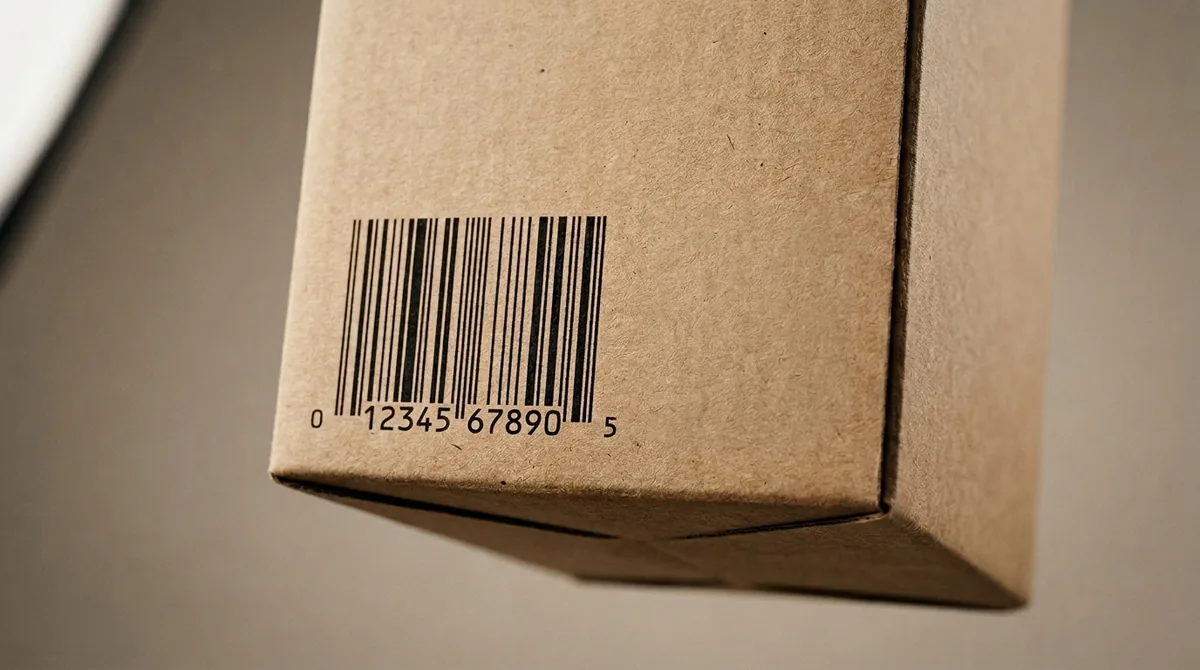
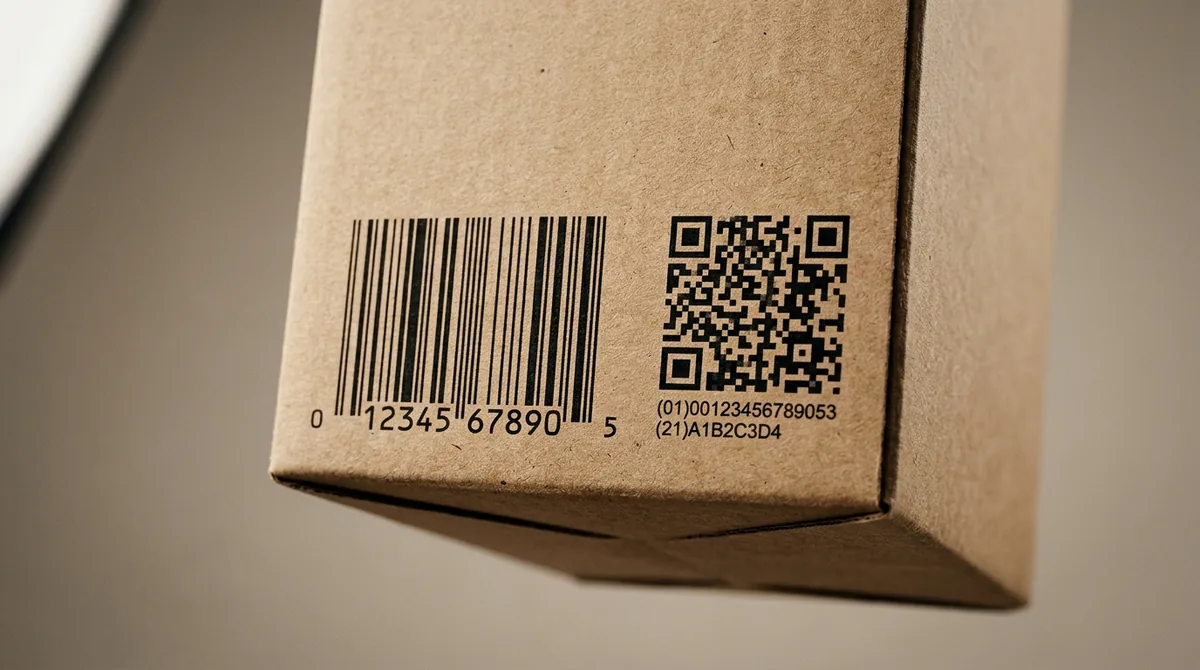
Here’s the honest part. Most checkout lanes aren’t set up to scan 2D barcodes yet, and whether your QR code scans at a given retailer’s register depends on that retailer’s systems and item file, not on the QR code itself. So the smart move right now isn’t to pull the barcode off your pack. It’s to add the GS1 Digital Link QR code next to it: a destination you control and can track today, and a head start on the shift that’s coming. GS1’s own long-term goal is for 2D barcodes like GS1 Digital Link to take over from the 1D barcode at retail. That shift has a name: Sunrise 2027.
What is Sunrise 2027, and why add a QR code now?
Sunrise 2027 is GS1’s target for retailers to be able to scan 2D barcodes at checkout by the end of 2027. It’s a rolling “can accept,” not a hard “must switch” deadline, which is exactly why dual marking is the safe play. Add a GS1 Digital Link QR code now and you’re ready as retailers adopt it, and you get the marketing and the analytics in the meantime instead of waiting. For the full timeline and what it means for brands, see our guide to Sunrise 2027.
How do you actually add one?
Three steps:
- Start with your GTIN. Use the number you already license from GS1. We validate the check digit so you don’t print a bad one.
- Choose what the QR code opens. A product page, a landing page with recipes, videos, or a feedback form, a promotion, or a recall notice. Preview it before it goes live, and change it whenever you like.
- Export and dual-mark. Download a print-ready QR code (PNG, JPEG, or SVG) and set it next to your existing barcode on the artwork.
That’s what our connected packaging is built to do. You bring the GTIN; we handle the GS1-conformant resolution, the editable destinations, and the scan analytics. If you want to see it on a real pack first, start there.
Adding more than one, and changing your mind later
Two things matter once you move past a single product.
Bulk import. When you’re adding a catalog rather than one item, import your products from a CSV instead of entering them by hand. Each import handles up to 500 products per file, with the GTIN check digit validated on every row so a bad number never reaches a pack.
Version history. Every change to a QR code’s destinations is saved as a version. You can preview a change before it goes live, compare it to what’s there now, and roll back to an earlier version if you need to. Nothing you’ve already printed is stranded by an edit.
What it costs
GS1 Digital Link is on every plan, so you can start without a sales call. You begin free with 2 products, and the allotment scales as you grow: Blend 25, Adapt 150, Transform 1,500, and unlimited on Enterprise. Bulk import and version history come with it. See pricing for the full breakdown.
Frequently Asked Questions
Is a GS1 Digital Link QR code just a QR code?
It’s a QR code whose contents follow the GS1 Digital Link standard, built around your GTIN and resolved through a GS1-aware service. It looks like any QR code; the difference is what it carries and how it resolves.
Do I need to be a GS1 member?
You need GTINs for your products, which come from GS1. We don’t issue GTINs; you bring your own and we build the GS1 Digital Link QR code and resolver around them.
Will it work on my existing packaging?
You add the GS1 Digital Link QR code next to your current barcode, which is called dual marking. Your barcode is untouched and keeps working as it does today.
Will the QR code scan at the register?
That depends on the retailer’s checkout systems and item file, which is their side and GS1’s, not something we control. Sunrise 2027 is the industry’s effort to make that possible by the end of 2027. Today, you add the QR code for the marketing, transparency, and analytics it gives you now.
Can I change the destination after printing?
Yes. Your GTIN stays fixed, but the destinations behind it are editable at any time, for every unit already out in the world, with no reprint.
Can I import a whole catalog at once?
Yes. Import your products from a CSV, up to 500 per file, instead of adding them one at a time. The GTIN check digit is validated on every row. How many products you can hold in total depends on your plan.